Sound familiar?
Rebuilding Gantt charts from scratch for every new project
Task dependencies are complex, and every change requires manual adjustment
Managing schedules in Excel, but updates are painful and versions get confused
Project management tools are too complex and nobody actually uses them
Ganty changes all of this
Here's what happens to the chores you repeat every week.
Open Excel and line up every task by hand to build a schedule
Just tell AI "plan this project" — tasks, dependencies, and durations appear at once
Key Features
From the differentiators you won't find elsewhere to the fundamentals done right.
Drive From Claude (MCP)
One of the few Gantt chart tools with MCP (Model Context Protocol) support. Read and write tasks from Claude Desktop or Claude Code in plain language: "List all tasks needed before next week's launch" or "Show tasks stuck at 50%." Available free on every plan.
"Create a dashboard project with tasks: planning → design → dev → QA → release"
Multi-Period Tasks
Give a single task multiple work periods on the same row. Perfect for tasks that resurface in every meeting, recurring activities, or staggered review work — situations that happen constantly in real organizations. Double-click empty space to add a period, then drag and resize each one independently.
AI generate + AI control
Auto-generate tasks from a sentence — then operate it by talking from Claude or ChatGPT (MCP-native, in the official registry).
"Create a mobile app launch plan"
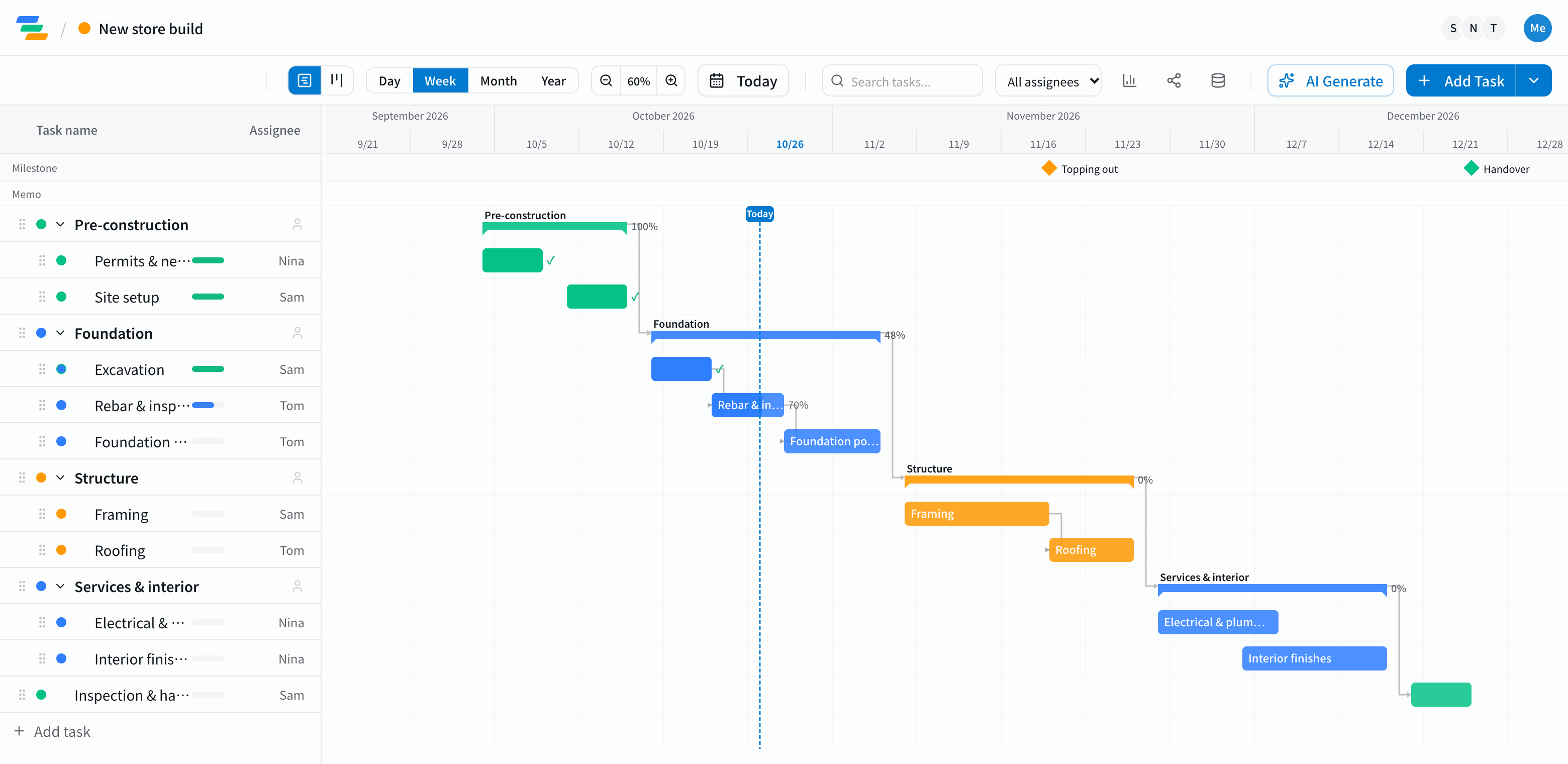
Gantt Chart
Visualize task durations, progress, and dependencies in two views — timeline and board.
Drag & Drop
Move and resize tasks with just your mouse. Day-level snapping for precision.
Team Management
Invite members, assign tasks, manage permissions. Share plans with your whole team.
Unified Project View
View multiple projects side by side. Auto-detect cross-project resource conflicts.
Excel / PDF Export
Export to Excel or PDF in one click. Perfect for external reports.
Project access control
Granular per-member view, edit, and admin permissions per project.
AI Schedule Analysis
AI flags unrealistic durations, dependency conflicts, and bottlenecks, with a 0-100 health score. Available on every plan.
Dependencies + Conflict Detection
Visualize task dependencies with arrows. Auto-warn on date conflicts.
Simple, no-waste pricing
Four plans to fit your team. Change anytime.
Free
For individuals & small teams
- Up to 3 members
- 5 projects
- 10 AI requests/mo
- AI analysis: 1/mo
Standard
For growing teams
- Up to 10 members
- Unlimited projects
- 100 AI requests/mo
- AI analysis: 5/mo, Excel/PDF export
Pro
For departments & organizations
- Up to 100 members
- Unlimited AI
- AI Digest (1 address)
- Unlimited version history
- Project access control
Business
For large teams
- Unlimited members
- AI Digest (10 addresses)
- AI analysis: 100/mo
- Audit log & SLA
See how it fits your industry
Pick your industry to see concrete use cases and a sample Gantt chart.
News
Public holidays for 10 countries, and a week-start setting
The timeline can now show public holidays for the US, the UK, Canada, Australia, Germany, France, Spain, Mexico and Brazil as well as Japan, and leaves them out of business-day counts. Weeks can start on Monday or Sunday. Change both under your avatar > Profile > Display.
Three New Features: Custom Statuses, Japanese Holidays, and Excel Import
You can now define custom statuses (e.g. “In review”) mapped to fixed categories. Japanese holidays are reflected on the timeline in Japanese mode (including substitute and citizens' holidays). And you can now import tasks from Excel / MS Project — making the switch from spreadsheet schedules smooth.
New: Board View — See Your Tasks by Status
You can now switch the same tasks between the timeline (Gantt) and a board. Drag cards to change status, and see due dates and overdue tasks at a glance. Scheduling stays on the Gantt side, so moving cards never breaks your plan.
Blog
Practical tips and guides on project management and Gantt charts.
Ready to try it free?
Free for up to 3 members. No credit card required.