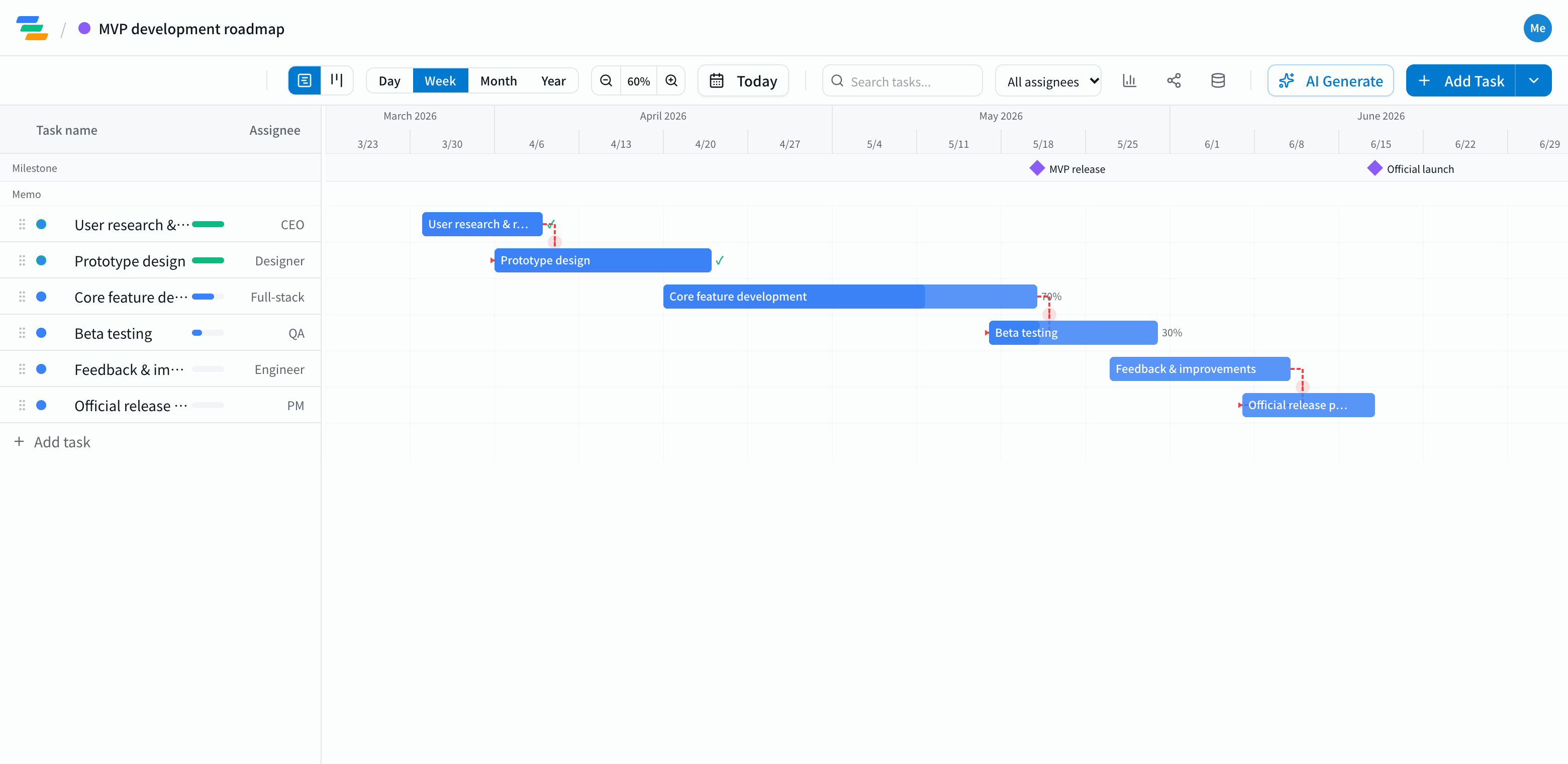
The main phases of an MVP roadmap
Whether it's an app or a SaaS product, getting the first version out follows a similar flow.
- User research and scope: whose problem you're solving, and which features make the first cut
- Prototype: user flows, design, something clickable
- Core build: the minimum set of features for the MVP
- Beta: put it in front of a small group of users. Mark the MVP release as a milestone
- Iterate on feedback: fix, cut or add based on what you learn
- Launch prep: pricing, support, announcement. Making the public launch a milestone keeps the target clear
Link the work so the plan is easy to change
A startup plan is built to change. Beta feedback may stretch the iteration phase, or swap one feature for another.
In Ganty you connect steps with arrows. Stretch the iteration bar by a week and launch prep and the launch date move with it. When an investor or teammate asks when you're launching, you can answer from the current plan.
Compared with a task tool or spreadsheet
- See time: a to-do list doesn't show what overlaps when; a timeline does
- See status too: the board view shows work as not started, in progress and done. Use the board day to day and the Gantt for the overall dates
- Sharing: send a share link and advisors or investors see the latest roadmap without an account (view-only, on every plan)
- Edit together: invited members can edit the same roadmap at the same time
Draft the roadmap with AI
Write one line such as "MVP of a booking app for restaurants, start research in December, launch in April" and the AI drafts a roadmap with phases, durations and dependencies. Treat it as a starting point and adjust it to your team size and scope. You can also ask the AI to review it and flag unrealistic dates.
Getting started
- Sign up free and have the AI draft a roadmap from one line (or start from an empty project)
- Place the MVP release and launch as milestones, adjust the phases and link them with arrows
- When plans change, just move the bar
Before signing up, you can also try the sample roadmap on this page with "Try the demo".