The AI Gantt chart.From one line to a full plan — then run it with AI.
Describe your project in one sentence and AI generates a Gantt chart with tasks, dates, and dependencies. And unlike one-shot generators, Ganty keeps the chart alive — you can keep operating it from Claude in natural language.
Free plan includes 10 AI generations/month for up to 3 members. No credit card.
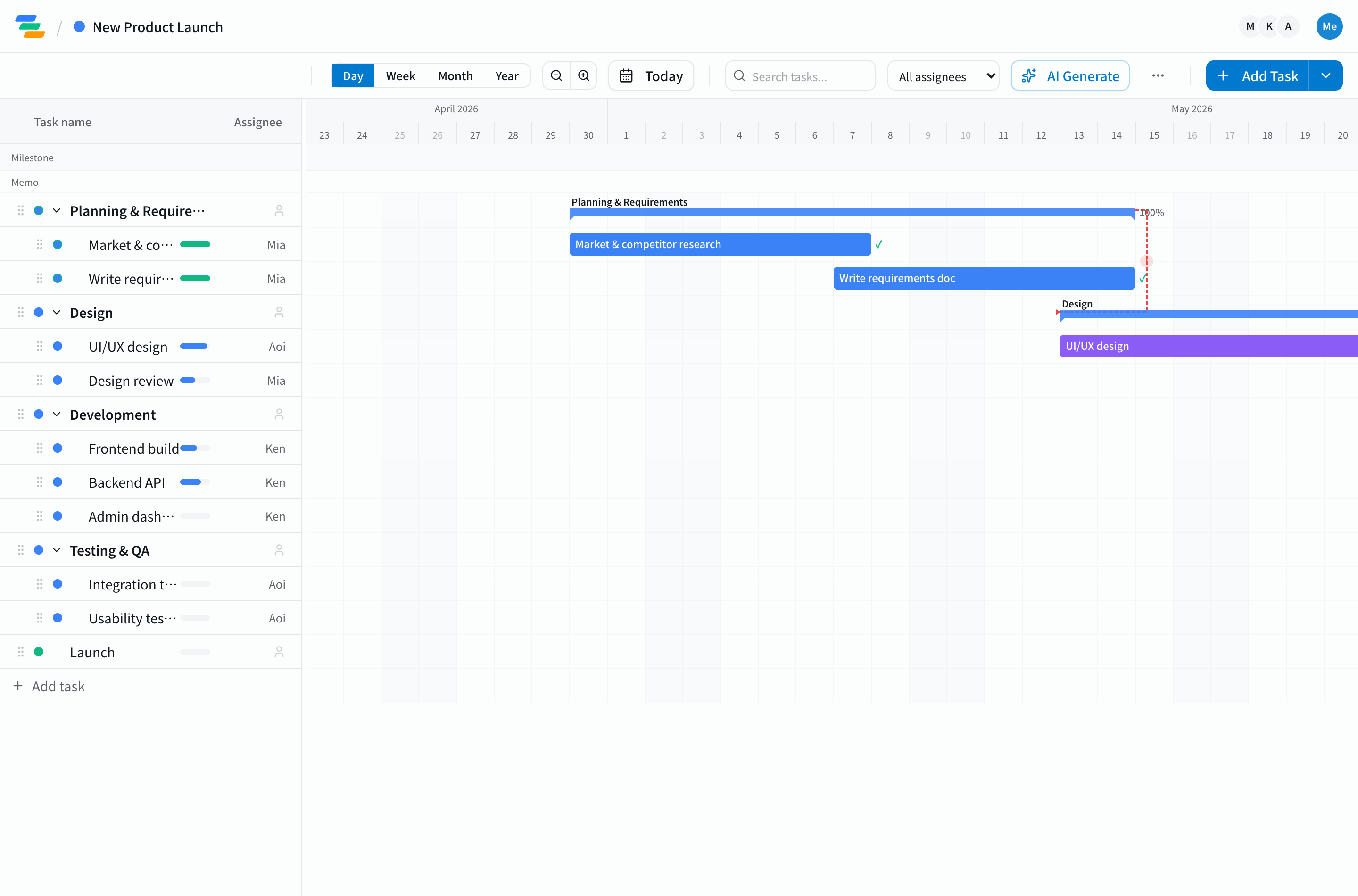
How the AI Gantt chart maker works
Describe your project in one line
Just write "redesign the e-commerce site by October."
AI generates the Gantt chart
A draft with tasks, dates, and dependencies in seconds.
Fine-tune by drag & drop, then share
Edit directly, export Excel/PDF, share by URL. Your team starts immediately.
Let AI run it from there
Tell Claude "set progress to 50%" or "what does the delay impact?" — it updates and recalculates.
What makes it different from one-shot AI generators
Most AI Gantt chart makers stop after the first draft — every change afterward is manual again. In Ganty, AI keeps operating the live chart. And because the scheduling math runs exactly on the server instead of being guessed by the model, letting AI drive doesn't break your dates.
| Capability | One-shot AI makers | Ganty |
|---|---|---|
| Generate a Gantt chart from one line | ||
| Drag-and-drop editing & sharing afterward | ||
| Keep updating via AI (Claude) after generation | ||
| Exact server-side critical path & delay impact | ||
| Auto-reschedule downstream tasks along dependencies | ||
| Operate from Claude's mobile apps in natural language |
Ganty's AI Gantt chart features
AI task generation
One line in, a full chart out — tasks, dates, and dependencies. Available on every plan.
Claude integration (MCP)
One-click connector setup. Say "bulk-update the progress" or "what's due this week?" and the real data moves.
Exact server-side computation
Critical path and delay cascades are computed on the server — not guessed by the AI — including cycle detection.
AI on mobile too
Drive your Gantt from Claude's iPhone/Android apps via the connector — "push the schedule" works on the go.
FAQ
What is an AI Gantt chart?
A Gantt chart that AI generates from a plain-language project description — tasks, start/end dates, and dependencies included. In Ganty, one line like "launch the new feature in October" becomes an editable Gantt chart in seconds.
Is it free?
Yes. You can try it instantly in the no-signup demo. After signing up, the free plan includes 10 AI generations per month for up to 3 members. No credit card required.
Can I edit the AI-generated chart?
Yes. The result is a normal Gantt chart: drag-and-drop editing, Excel/PDF export, and URL sharing. You can also keep updating it from Claude (via MCP) in natural language — "design slipped two days, push everything after it."
How is Ganty different from other AI Gantt chart makers?
Most tools stop at the first generation. Ganty keeps the chart alive: from Claude's connectors you can update tasks, change progress, and compute the critical path in natural language. Calculations run exactly on the server — not as AI guesses — so the numbers are trustworthy.
Does it work on mobile?
Yes. The Gantt chart runs in the browser, and via Claude's iPhone/Android apps you can operate it through the connector — "what's due this week?", "update the progress."
Start with one sentence
Experience AI Gantt chart generation right now in the no-signup demo.