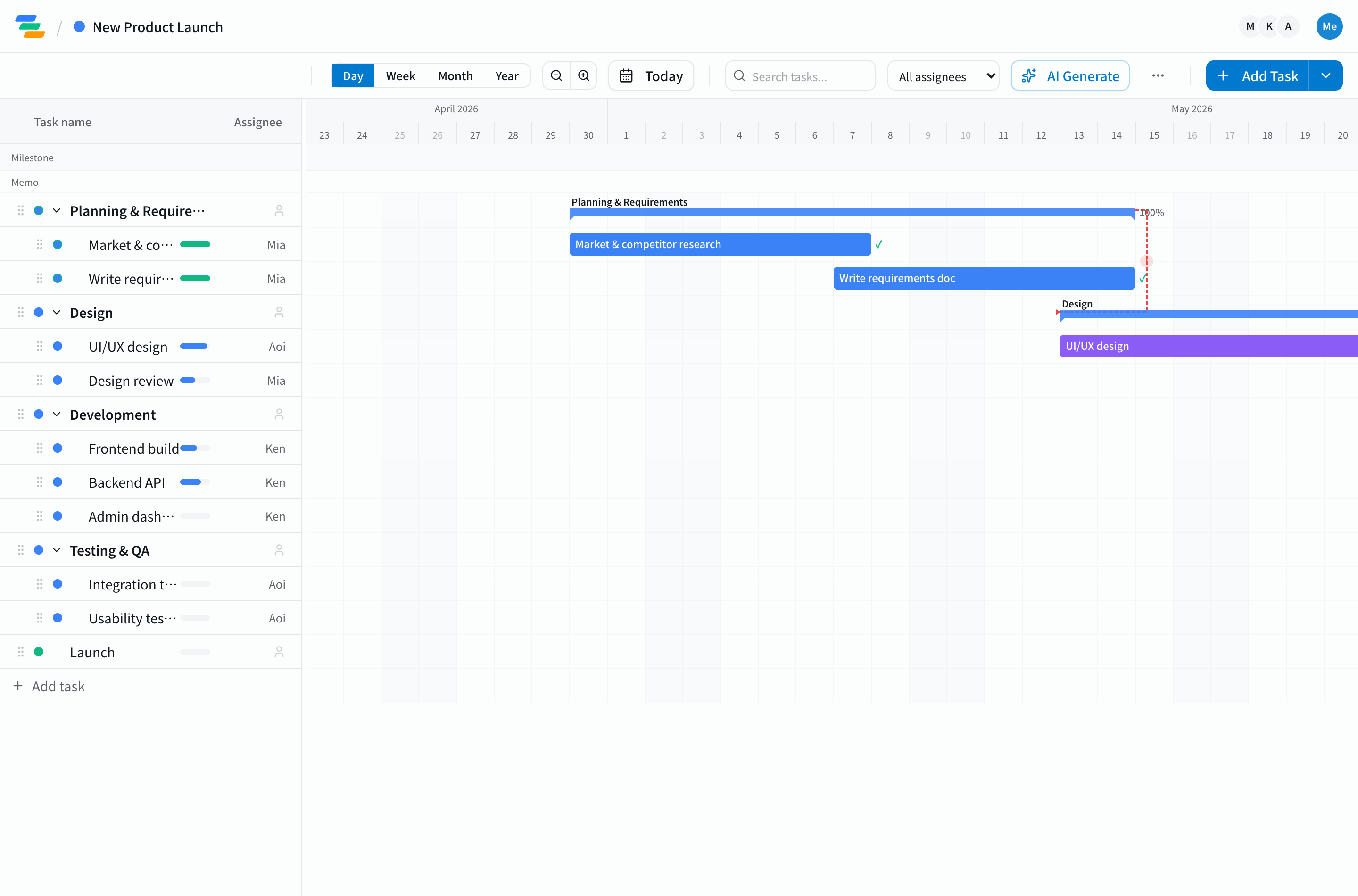
When you want to "make a Gantt chart with Claude," there are actually three distinct ways, each with clear trade-offs: quick Artifacts, Claude Code skills, and MCP integration. This guide sorts them out, covers the "static and one-shot" limit of Artifacts, and shows how to build the thing most people actually want — a living Gantt chart you can keep operating from Claude — with setup steps included.
The short version
- Three ways to make a Gantt with Claude: ① Artifacts (Mermaid/HTML) / ② Claude Code skills / ③ MCP integration.
- ①② are quick but static and one-shot — no recalculation, progress tracking, or team sharing.
- For ongoing use, ③. Connect Claude to Ganty over MCP and you can read, write, and recalculate the chart in natural language.
- It works free-on-free: Claude's free plan × Ganty's free plan.
Three ways to make a Gantt chart with Claude
① Generate a Mermaid/HTML diagram as an Artifact
The quickest route. Ask "make a Gantt chart for this project in Mermaid" and Claude renders one in seconds as an Artifact. That's fine for dropping into a doc or sharing a quick view. But the output is a static snapshot — move a date later and nothing follows automatically.
② Generate files with a Claude Code skill
For Claude Code there are skills like "Mermaid Gantt Generator" and "Timeline Creator" that turn a task list into diagrams or HTML. Handy for engineers generating docs, but again the output is a file, not a living project tool.
③ Operate a real tool through MCP
With the Model Context Protocol (MCP), released by Anthropic in 2024, Claude can read and write a real Gantt tool like Ganty directly. The decisive difference from ①②: the chart is live data you can edit, recalculate, and share — not a static export. This is the option built for ongoing use.
The limit of Artifacts and Mermaid (the dividing line)
①② are fast, but not built to run a project.
| What you want | Artifacts / Mermaid | MCP integration (Ganty) |
|---|---|---|
| Make a diagram fast | ◎ | ◯ |
| Auto-recalculate downstream on a shift | ✕ | ◎ |
| Critical path calculation | ✕ | ◎ (exact, server-side) |
| Track progress and owners over time | ✕ | ◎ |
| Team sharing and editing | ✕ | ◎ (share URL, collaborate) |
In short: Artifacts are a "diagram to show," MCP integration is a "tool to operate." If your goal is ongoing use, ③ is the only real choice.
How to connect Claude to a Gantt chart over MCP
No development required — it takes about three minutes.
- Issue a token in Ganty: Settings → API Tokens → "Issue new token." Free on every plan.
- Register the MCP server in Claude: in Claude Desktop / Code settings, set the endpoint
https://ganty.app/api/mcpwith the token you issued. - Connect: restart the client and Claude picks up Ganty's tools from the cloud.
If the connection misbehaves, see MCP setup troubleshooting. Full configuration is in the MCP integration guide.
What you can do from Claude once connected
After connecting, these all work in plain language:
- "List and add the tasks needed for next week's release"
- "Design slipped two days — push everything after it" → reschedules while preserving dependencies
- "What's the critical path now?" → an exact, server-computed answer
For concrete scenarios, see practical examples of automating Gantt charts with Claude MCP, and for a Claude Code-centered workflow, the complete guide to project management with Claude Code.
Which Claude clients work?
Claude Desktop and Claude Code, plus MCP-capable clients like Cursor. In each, just configure the same Ganty endpoint to call the same tools. See the details of Ganty's MCP support.
Summary
There are three ways to make a Gantt chart with Claude: Artifacts for a quick diagram, MCP integration to actually run the project. Don't stop at a static one-shot from Artifacts — if you want to operate the chart while staying connected to Claude, connecting a real tool over MCP is the 2026 best practice.
Ganty is free for up to 3 members and MCP integration is free on every plan, so you can start free-on-free with Claude's free tier. Try it free, see the AI Gantt chart feature page (with a no-signup demo), or compare the landscape in our AI Gantt tool comparison.
Related Articles
7 Practical Examples of Automating Gantt Charts with Claude MCP: Now Including Critical Path and Shift-Impact Prediction
Seven MCP automation workflows for Ganty × Claude: stand-up prep, delay detection, weekly reports, GitHub-to-Ganty conversion, natural-language edits — plus new server-side critical path and shift-impact prediction tools. All with sample prompts.
2026-06-06How to Make a Gantt Chart with ChatGPT (2026): 3 Methods, Their Limits, and the AI-Native Alternative
Three realistic ways to make a Gantt chart with ChatGPT (Mermaid syntax, spreadsheets, custom GPTs), each with sample prompts — plus the hard limits (ChatGPT can't draw or recalculate one) and the AI-native alternative: driving a live Gantt chart through Claude and MCP.
2026-06-01How to Use Claude Code for Project Management: 5 MCP Examples for Natural-Language Gantt Workflows
A complete guide to operating Gantt charts from Claude Code in natural language. Setup, plus five developer-focused MCP patterns: auto-task from PRs, sprint progress summaries, release checklists, post-review delay surfacing, and code-aware task generation.