7 Practical Examples of Automating Gantt Charts with Claude MCP: Now Including Critical Path and Shift-Impact Prediction
Ganty Team
Ganty supports the Model Context Protocol (MCP), so you can operate your Gantt chart from Claude Desktop or Claude Code in natural language. This article walks through five practical automation scenarios that actually save time. All available on the Free plan.
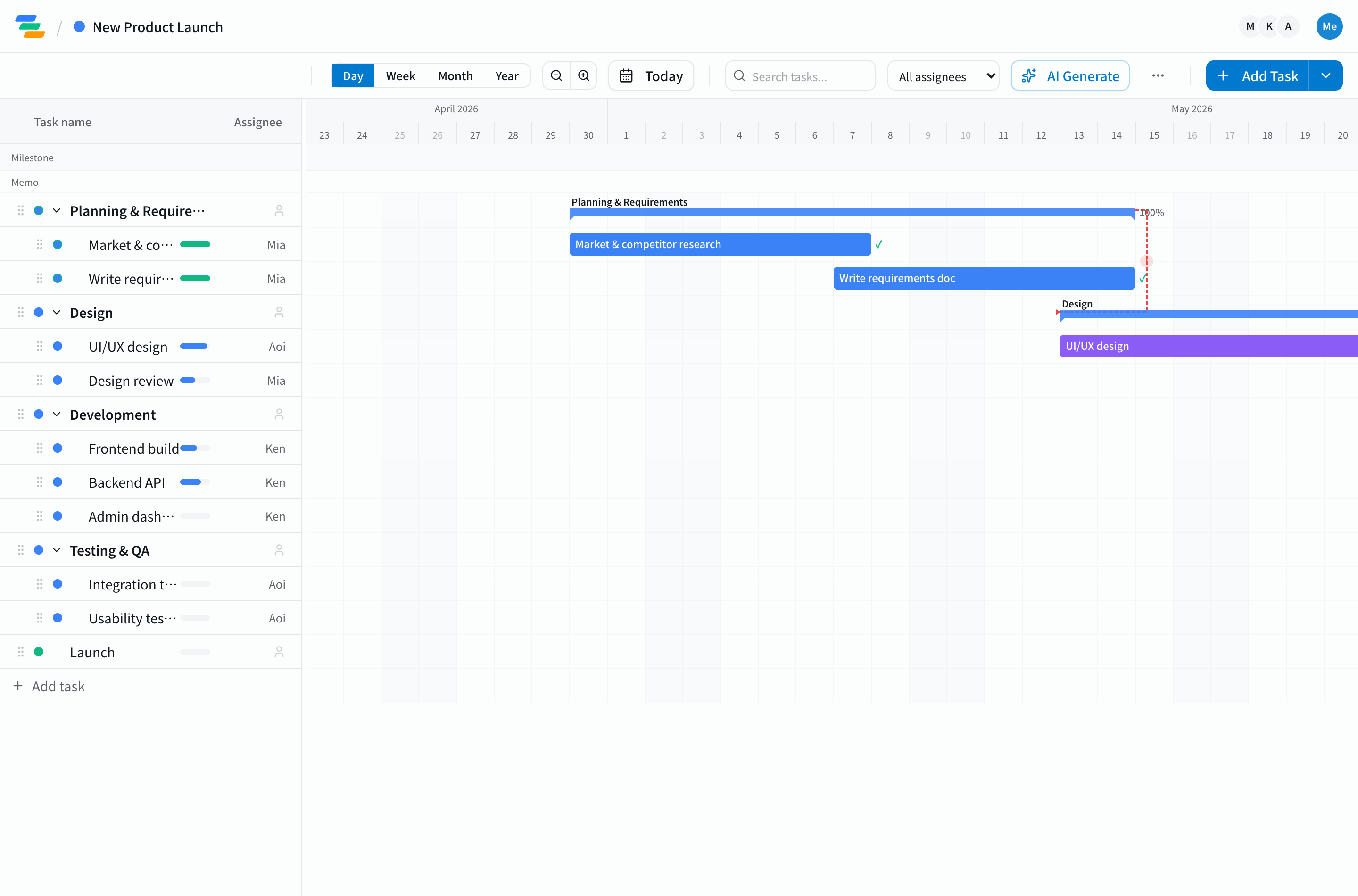
What MCP lets you do
MCP is Anthropic's standard for connecting Claude to applications. Plug Ganty in as an MCP server and Claude can act on prompts like:
- "List all tasks with progress below 50%" (read)
- "Add three days of design tasks starting next Monday" (write)
- "Push A-san's tasks out by a week" (edit)
Setup takes five minutes — see our MCP integration guide. Once it's wired up, try these five workflows.
Example 1: Generate daily stand-up prep in 5 minutes
Knowing what every team member is doing today, before the stand-up starts, is surprisingly time-consuming. Prompt Claude with:
"In the e-commerce rebuild project, list today's and tomorrow's planned tasks grouped by assignee. Flag anything below 50% progress separately."
Sample output:
Assignee: Tanaka
- Frontend implementation (70%, due tomorrow)

Assignee: Sato
- API design review (30%, due today) ← needs follow-up
- DB schema finalization (0%, due tomorrow) ← needs follow-up
A 30-minute prep job takes 5. As our meeting effectiveness article notes, pre-aggregating information is the key.
Example 2: Surface delays and propose causes automatically
Just before a weekly review, ask Claude for delayed tasks plus suspected causes:
"Pull every task whose progress is behind today's line. Include the status of each task's dependencies. Suggest likely causes from the dependency chains."
Claude returns delayed tasks alongside hypotheses like "Task A's delay traces to Task B slipping by 3 days." That alone elevates the weekly review. Combine with our dependency management guide for compounding effect.
Example 3: Auto-generate weekly client reports
Weekly client reports usually eat 1-2 hours. Hand it to Claude:
"Write a weekly client report covering tasks completed this week, planned for next week, and current concerns. Use formal but plain language; minimize jargon."
Just review and tweak. An hour becomes ten minutes. Pull the format from our progress reporting guide into your prompt and the output matches your team's house style.
Example 4: Convert GitHub Issues into Ganty tasks
Engineering teams burn cycles converting GitHub Issues into Ganty tasks. With MCP, do it in one step from Claude Code:
"Read Issue #234, break it into implementation tasks, and add them to the API rework project in Ganty. Estimate durations from the issue content."
Claude Code reads the issue, decides task granularity, and writes tasks into Ganty. The three-step manual flow (read → judge → enter) collapses to a single prompt. Bake the heuristics from our task granularity guide into the prompt for results that match your team's standards.
Example 5: Bulk-edit tasks in natural language
"Release is pushed by a week." "Owner switched." "A high-priority project cut in." Reorganizing through the UI bar by bar takes longer than you'd expect.
"Push every task scheduled for next week's release back by one week, keeping dependencies intact. List any milestones that would be affected separately."
Claude moves the affected tasks while preserving dependencies, then summarizes the milestones and adjacent tasks that get hit. Decision and execution close in one step.
Example 6: Compute the critical path on the server side (new)
Asking Claude "what's the critical path?" used to mean handing it the raw task list and hoping the LLM reasoned correctly. Missing dependencies, ignoring progress, and quiet hallucinations were all common. Ganty now exposes get_critical_path, which runs forward/backward pass on the server and returns the exact result as JSON.
"Show me the critical path for this project, projected from today's progress."
Claude calls get_critical_path and reads back Ganty's ordered critical-path tasks, per-task earliest/latest start/finish, slack, and projected end date. The LLM doesn't reason about numbers; it relays computed values. No room for math errors.
For business-day arithmetic, pass business_days: true and Sat/Sun are skipped. See our server-side calculation design article for the engineering rationale.
Example 7: "What if I shift this task by 3 days?" — simulate before committing (new)
Before approving a delay or rebalance, you want to know which milestones slip and by how much. reschedule_and_propagate returns the cascade impact in a default dry-run mode (no DB writes), so Claude can show you the consequences first.
"If I push the payments implementation task by +3 days, when does release ship? Which pinned tasks (progress=100) get hit?"
Claude invokes reschedule_and_propagate(task_id: ..., shift: '+3d', mode: 'dry_run') and Ganty walks the dependency graph, returns per-task new start/end, the project end delta, and any conflicts against pinned tasks — all without touching the database. Happy with the simulation? Re-run with mode: 'commit' and Ganty applies the same plan in a single transaction (or nothing at all if conflicts exist).
Tips for getting more out of MCP
- Add constraints to your prompts: "progress below 50%," "due this week" — narrow scope makes results actionable
- Specify output format: "as a markdown table," "as bullet points," "in formal English" — saves you reformatting
- Iterate gradually: start with read-only prompts to learn the behavior before letting Claude write
- Save your prompts: stand-up prep, weekly reports — keep your reusable prompts in a text file
Next steps
MCP integration is the entry point to AI-driven project management. Setup is five minutes via our MCP integration guide; token issuance is free on every plan. Pick the example above closest to your day-to-day and try it first.
Want to start from "AI generates the chart for me"? See the AI Gantt chart page — you can try generation in the no-signup demo.
New to connecting Claude to a Gantt chart? Start with our Claude Gantt chart guide for the full picture. For the broader view, see our AI project management guide, and for Gantt fundamentals, the complete guide.
Related Articles
Why We Don't Let AI Calculate Critical Paths: Server-Side CPM in Ganty's MCP Tools
Asking the LLM to derive the critical path from a raw task list hallucinates. Ganty's new MCP tools get_critical_path / reschedule_and_propagate compute the answer on the server and return JSON. An architecture deep-dive on avoiding LLM math errors.
2026-05-12Ganty Now Supports MCP: Drive Your Gantt Charts Directly From Claude
Ganty now supports the Model Context Protocol (MCP). Read and write Gantt chart tasks from Claude Desktop, Claude Code, and Cursor in natural language. Free on all plans, three-minute setup.
2026-06-01How to Use Claude Code for Project Management: 5 MCP Examples for Natural-Language Gantt Workflows
A complete guide to operating Gantt charts from Claude Code in natural language. Setup, plus five developer-focused MCP patterns: auto-task from PRs, sprint progress summaries, release checklists, post-review delay surfacing, and code-aware task generation.