Project progress reports are essential for building trust with managers, stakeholders, and clients. Yet many project managers struggle with what to include, how much detail to provide, and how to present information in a way that drives action rather than confusion. This guide provides a clear framework for writing status reports that stakeholders will actually read and act on.
Why Progress Reports Matter
A well-written progress report serves three critical functions in project management:
- Enables informed decisions: Executives and clients use progress reports to decide on resource allocation, budget adjustments, and priority changes. According to PMI research, 29% of project failures are attributed to inadequate communication.
- Surfaces risks early: Regular reporting catches minor delays and risks before they escalate into major problems.
- Aligns the team: Reports ensure that everyone shares the same understanding of current status, preventing priority mismatches.
The Five Essential Components of a Progress Report
1. Overall Status Summary
Open with a traffic-light indicator -- green (on track), yellow (at risk), or red (off track). Decision-makers want to grasp the big picture within seconds, so this belongs at the very top of your report.
2. Completed Items
List tasks and deliverables finished since the last report. Include whether each was completed on time: "Design phase completed (on schedule)" is far more informative than "Design phase completed."
3. Work in Progress
Show active tasks with quantitative progress. "Back-end development: 65% complete (+20% from last week)" gives readers a precise sense of velocity. Avoid vague descriptions like "making good progress."
4. Issues, Risks, and Mitigations
This is the most valuable section. Report problems honestly and pair each with a concrete mitigation plan. For example: "Third-party API specification change caused a 2-day delay in integration testing. We are building a mock environment in parallel to reduce the net impact to 1 day." Separating facts from planned responses builds credibility.
5. Upcoming Plan
Outline what will happen in the next one to two weeks, including key milestones. The goal is to help stakeholders anticipate what comes next and prepare any decisions or approvals needed from their side.
Practical Writing Techniques
Use Numbers, Not Adjectives
Replace "things are going well" with "16 of 20 planned tasks complete, 80% progress." Quantitative statements remove subjectivity and give readers objective data for their own assessments.
Tailor Detail Level to Your Audience
Executives need high-level progress and budget status. Technical leads need task-level details. Cramming everything into one document makes it useful to no one. Consider separate summaries for different audiences or a layered format with an executive summary followed by detailed appendices.
Fix a Reporting Cadence
Send reports at the same time every week -- for example, every Friday at 5 PM. Consistent timing creates a rhythm that improves information flow across the entire team.
Common Reporting Mistakes
- Overly optimistic framing: Downplaying problems creates trust gaps that are expensive to repair later. Report facts as they are, and always pair issues with action plans.
- Information overload: Aim for one to two pages. Attach detailed data separately and keep the main report focused on summaries.
- Backward-looking only: A report that only reviews the past misses the point. Always include forward-looking actions and next steps.
Streamline Reporting with Ganty
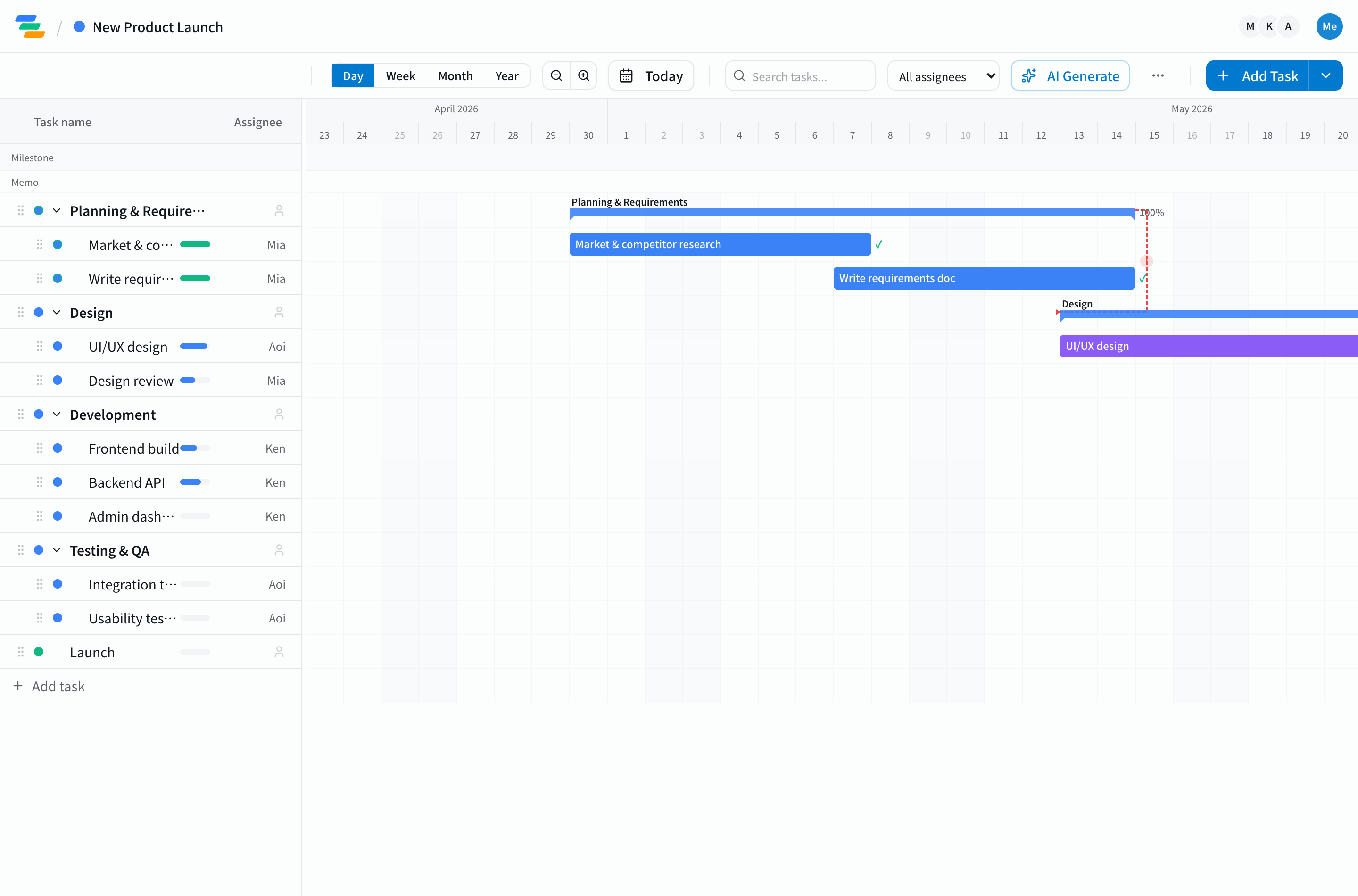
Ganty's Gantt chart displays your entire project's progress on a single screen, making data collection for status reports dramatically faster. Task completion percentages update in real time, and delayed tasks are highlighted automatically. Instead of writing lengthy reports, you can simply share the Gantt chart view so that every stakeholder sees the latest status instantly. Get started with the free plan.
Related Articles
How to Create a Work Breakdown Structure (WBS): 5-Step Guide with Examples and Templates
How to make a Work Breakdown Structure in 5 steps, with industry-specific examples (IT, construction, marketing), Gantt chart integration, common pitfalls, and templates you can adapt today.
2026-04-13How to Run Effective Project Meetings: Facilitation Techniques That Don't Waste Time
Practical techniques for running project status meetings that respect everyone's time — agenda design, time boxing, and minutes templates with concrete examples.
2026-05-15Gantt Chart Guide 2026: What It Is, How to Make One, Examples, Tools, and AI (Complete Guide)
Everything about Gantt charts in one place: what they are, how to make one in 5 steps, real examples, the right tool to pick, industry use cases, AI integration, and team operations. The definitive 2026 reference guide.