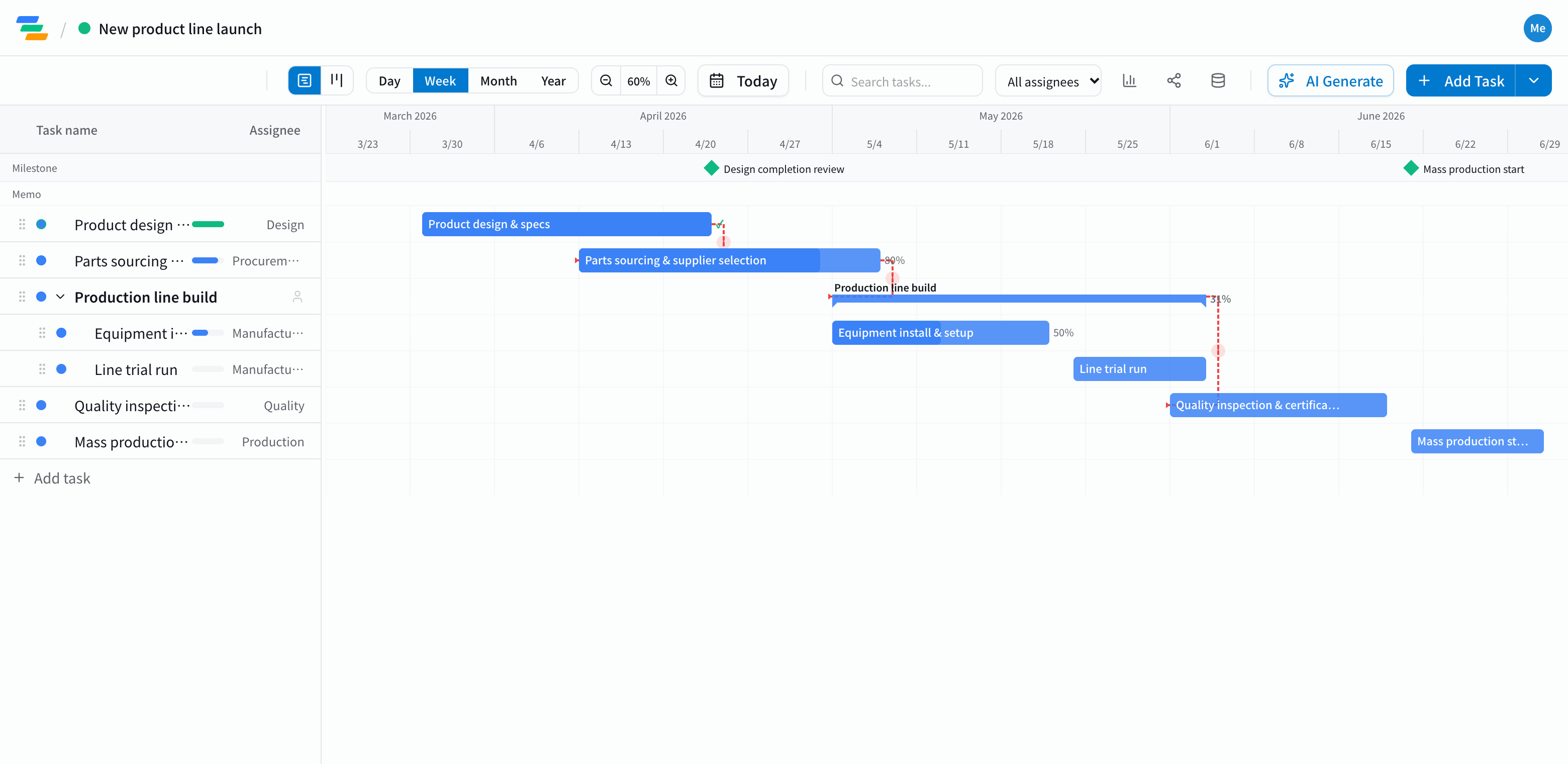
The main phases of a production launch
New products, new lines and equipment changeovers all follow a similar flow.
- Design and specs: specifications, drawings, design review. Marking design completion as a milestone makes progress easy to read
- Sourcing: quotes, supplier selection, purchase orders, confirming lead times
- Line build: installing equipment, preparing jigs and fixtures
- Trial runs: prototypes, process tuning, fixing issues
- Quality and certification: inspection criteria, any certifications you need
- Mass production: handing over to production planning, monitoring early output
Link the phases with dependencies
Launch delays usually come from outside: when parts or equipment arrive late, installation, trials and inspection all slide.
In Ganty you connect these with arrows. Drag the sourcing bar later and the line build, trials and production start all move with it. When a supplier warns of a delay, you can see the effect on the production start right away.
Compared with a spreadsheet schedule
- Changes: in a spreadsheet you recolor each shifted cell; in Ganty you move one bar and the rest follow
- Sharing: send a share link and other departments or suppliers see the latest schedule without an account (view-only, on every plan)
- Export: export to Excel or PDF for meetings and reports (Standard and above)
Draft the schedule with AI
Write one line such as "Launch a new production line, start design in January, mass production in June" and the AI drafts a schedule with phases, durations and dependencies. Treat it as a starting point and adjust it to your equipment and suppliers. You can also ask the AI to review a finished schedule and point out unrealistic dates or likely delays.
Getting started
- Sign up free and have the AI draft a schedule from one line (or start from an empty project)
- Adjust names, dates and owners, then link the phases with arrows
- Send a share link to the teams involved. When plans change, just move the bar
Before signing up, you can also try the sample schedule on this page with "Try the demo".