Public Holidays for 10 Countries, and Your Choice of Week Start
Ganty Team
Ganty's timeline can now show public holidays for countries other than Japan, and you can choose whether weeks start on Sunday or Monday. Both are available on every plan.
Supported countries
Japan, the United States, the United Kingdom (England and Wales), Canada, Australia, Germany, France, Spain, Mexico and Brazil.
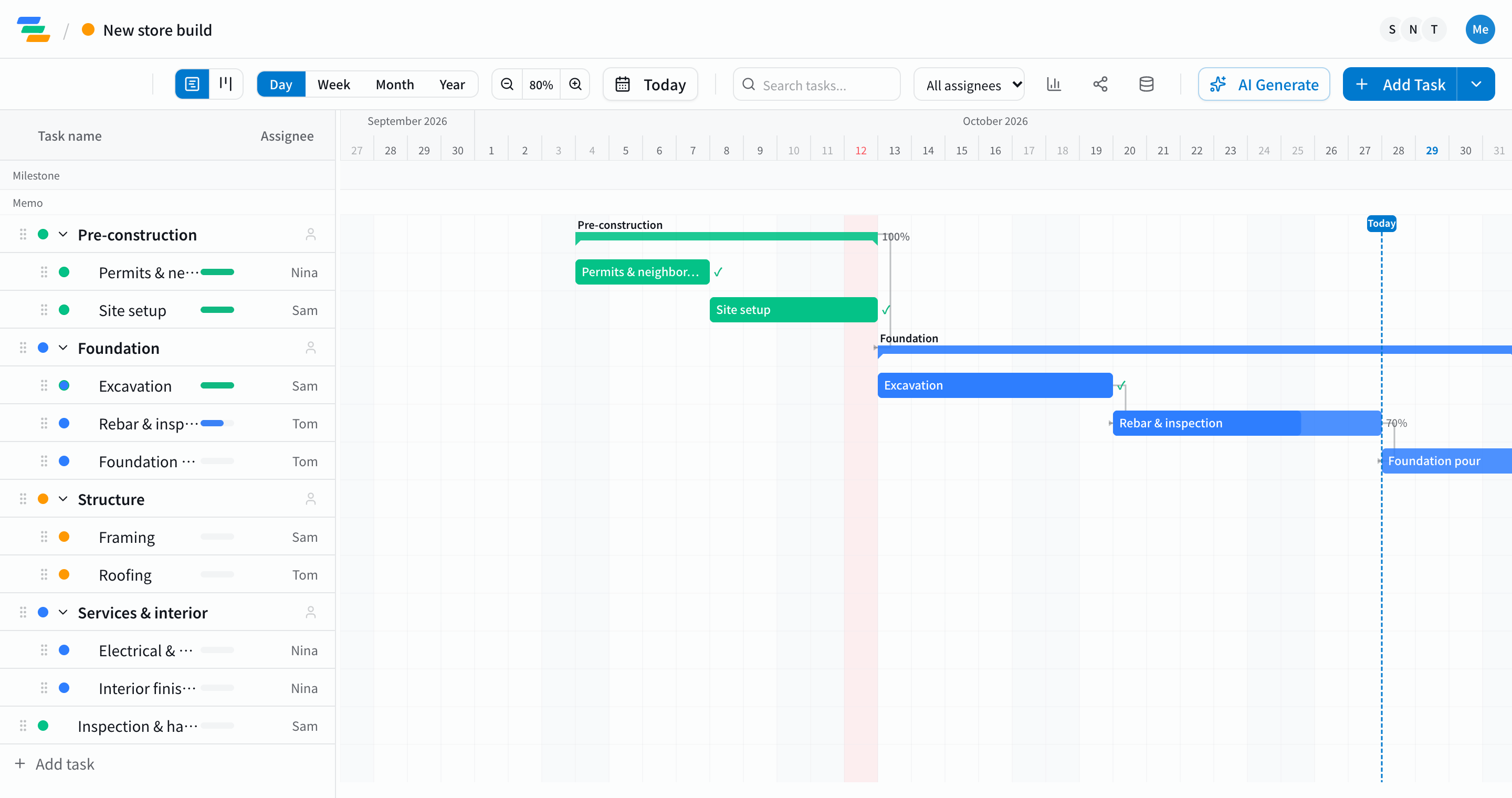
- Holidays for the country you pick are shaded in the day view. Hover a date to see the holiday's name
- The business-day count in the task details leaves out that country's holidays
- When a holiday falls on a weekend, the observed or substitute day follows each country's rule
Week start
Week columns can start on Monday (as before) or Sunday, so teams used to Sunday-first calendars see their weeks the way they expect.
How to set it
- Click your avatar at the top right and open Profile
- Under Display, pick a country for Public holidays (or None)
- Pick Monday or Sunday for Week starts on
Settings are saved on this device and apply to open charts right away. If you haven't chosen yet, Ganty picks a country from your device's time zone when it can.
What it doesn't do yet
- National holidays only. State and regional holidays (US states, German states and so on) and one-off holidays aren't included
- Holidays are shown and left out of business-day counts; task dates don't move around them automatically
- Excel and PDF exports don't shade holidays yet
Wrapping up
This makes Ganty easier to use for teams outside Japan and for projects with members in several countries. If you'd like another country added, tell us through feedback.
Related Articles
Three New Features: Custom Statuses, Japanese Holidays, and Excel Import
Ganty gains three features: custom statuses mapped to fixed categories, a Japanese holiday calendar on the timeline, and import from Excel / MS Project — so teams can move off spreadsheet schedules without losing their work.
2026-08-16Introducing Board View — a Kanban That Knows Your Schedule
Ganty now has a Board View. Switch the same tasks between the timeline (Gantt) and a status board. Drag cards to change status, and see due dates and overdue work at a glance — while scheduling stays on the Gantt side, so moving cards never breaks your plan.
2026-09-23Is Your Project Schedule Realistic? A 7-Point Check Before You Commit a Date
Most schedules that fail were already broken the day they were drawn. Seven checks — owners, dependencies, critical path, double-booking, estimates, buffer, and non-working days — to test a plan in about 15 minutes, plus how to have AI run the first pass.