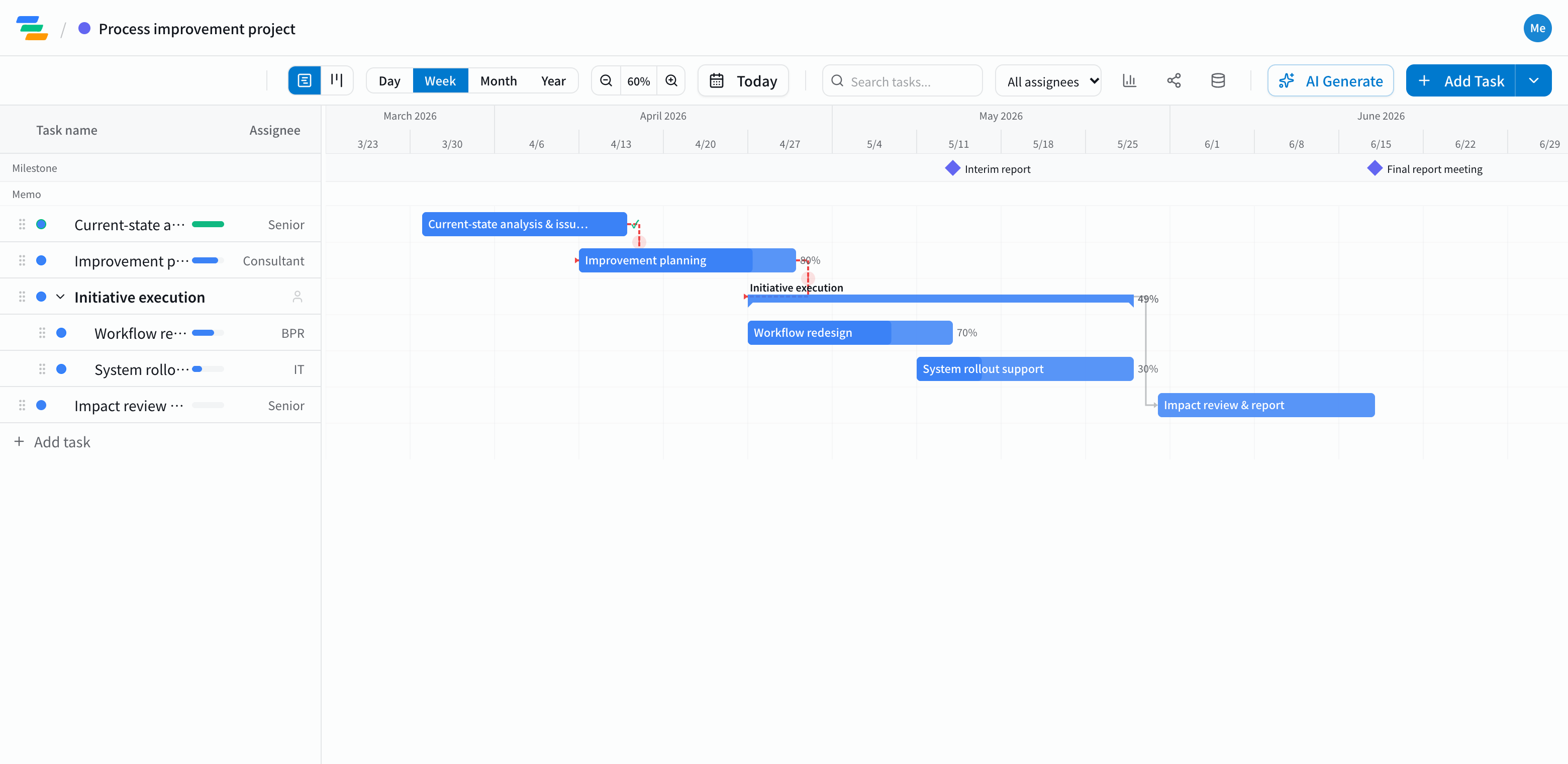
The main phases of a consulting engagement
Process improvement, systems implementation support or strategy work all follow a similar flow.
- Current-state analysis: interviews, reviewing documents and data, framing the issues
- Recommendations: options and priorities. Mark the interim report as a milestone
- Implementation support: redesigning processes, supporting system rollout, bringing teams along
- Review: checking the numbers, fixing what didn't work
- Final report: writing it up and presenting. Make this a milestone too
Build the plan around the reporting milestones
In consulting, interim and final report dates are usually set first. Place each as a milestone and arrange the work leading up to it.
Link the steps with arrows and you can see, for example, how far analysis and recommendations slide when the client's data arrives a week late, and whether you still make the interim report. If not, you can raise it before the meeting, not at it.
Compared with slides or a spreadsheet
- Changes: a timeline on a slide has to be redrawn every time; in Ganty you move one bar and the rest follow
- Sharing: send a share link and the client sees the latest plan without an account (view-only, on every plan). No outdated versions floating around
- Export: export to Excel or PDF for proposals and reports (Standard and above)
- Ownership: give each task an owner and a progress percentage so the split of work is clear
Draft the plan with AI
Write one line such as "Three-month finance process improvement, analysis in month one, interim report in month two" and the AI drafts a plan with phases, durations and dependencies. It also works for the timeline in a proposal. You can ask the AI to review a finished plan and point out unrealistic dates or likely delays.
Getting started
- Sign up free and have the AI draft a plan from one line (or start from an empty project)
- Place the reports as milestones, adjust phases, dates and owners, and link them with arrows
- Send a share link to the client. When plans change, just move the bar
Before signing up, you can also try the sample plan on this page with "Try the demo".