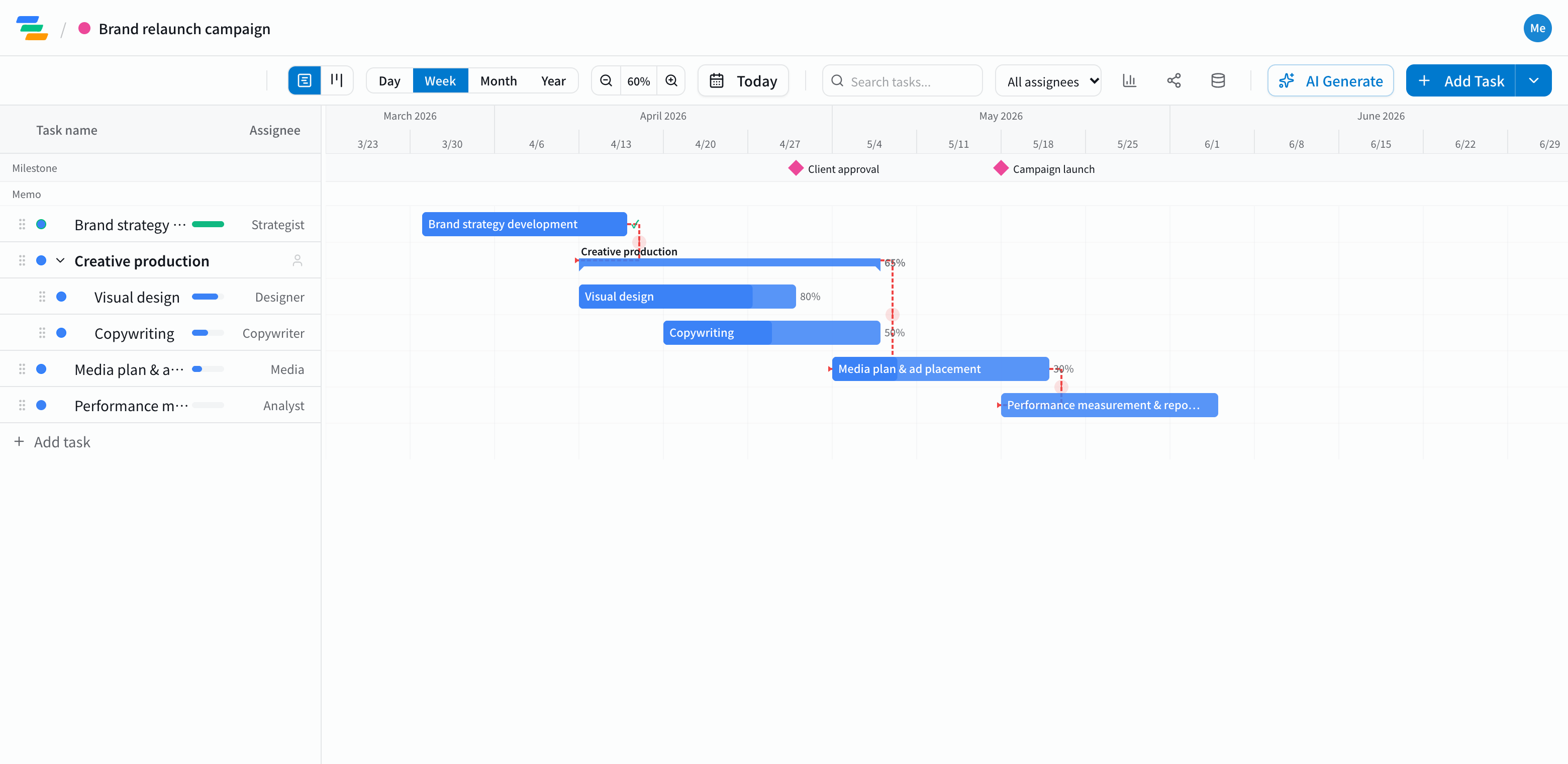
The main phases of a marketing campaign
Product launches, rebrands, paid campaigns and trade shows all follow a similar flow.
- Strategy and planning: goals and KPIs, audience, budget, key message
- Creative: visuals, copy, video, landing pages
- Approvals: internal or client review and revisions. Marking approval as a milestone makes it clear where the crunch is
- Media prep: choosing channels, submitting assets, setting up delivery
- Launch and run: going live, adjusting while the campaign runs
- Measurement: reporting results, reviewing, feeding lessons into the next campaign
Put launch day down as a milestone and work backward
Start by placing the launch date as a milestone, then lay the work out backward from it. Asset deadlines and how much slack approvals need become obvious once everything is on one chart.
Link the steps with arrows and you can see, for example, how far asset delivery and launch move when design approval runs three days late. If launch can't move, you can decide on the spot which step to compress.
Compared with a spreadsheet plan
- Changes: in a spreadsheet you fix each date by hand; in Ganty you move one bar and the rest follow
- Sharing: send a share link and clients or agencies see the latest plan without an account (view-only, on every plan)
- Owners and progress: give each task an owner and a progress percentage, and use the board view to see what's not started, in progress and done
- Export: export to Excel or PDF for reports (Standard and above)
Draft the plan with AI
Write one line such as "Spring product campaign, launch March 1, social ads and a landing page" and the AI drafts a plan with steps, durations and dependencies. Treat it as a starting point and adjust it to your team and approval process. You can also ask the AI to review a finished plan and point out unrealistic dates or likely delays.
Getting started
- Sign up free and pick the Marketing Campaign template (or have the AI draft one from a single line)
- Place launch day as a milestone, adjust steps, dates and owners, and link them with arrows
- Send a share link to stakeholders. When plans change, just move the bar