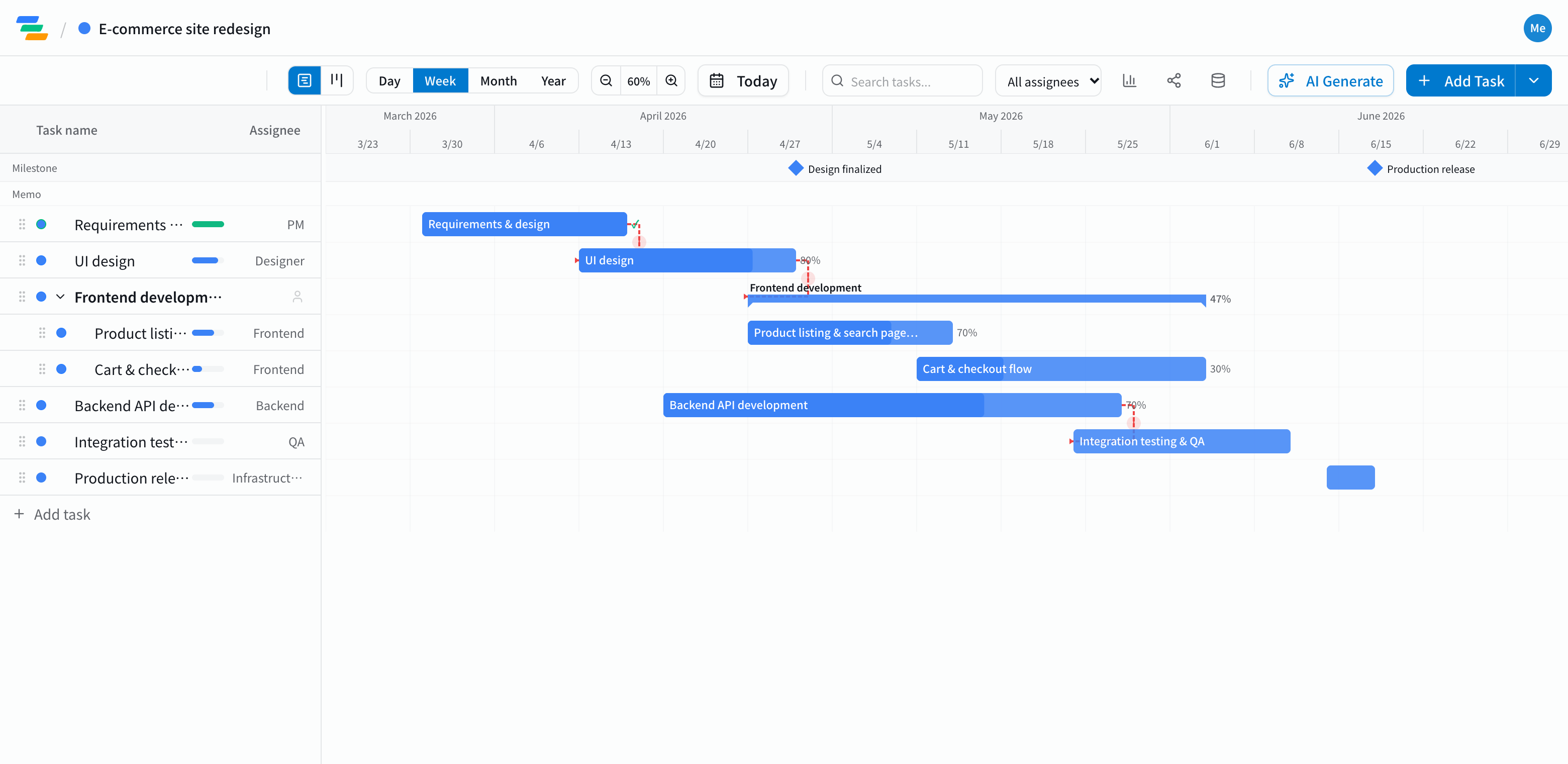
The main phases of a web project
Corporate sites, online stores and web apps all follow a similar flow. The template starts with this structure, so you can add or remove steps to match the project.
- Requirements and planning: stakeholder interviews, requirements, sitemap and page list
- Design: wireframes, mockups, review rounds. Marking design sign-off as a milestone makes progress easy to read
- Frontend: building the pages, responsive layouts
- Backend: APIs, database, admin screens, payments and other integrations
- QA: integration testing, cross-browser checks, bug fixes
- Launch: deploying to production, monitoring, post-launch checks
Link the phases with dependencies
Web projects usually slip while waiting on something upstream: you can't build until the design is approved, you can't wire up pages until the API exists, and you can't test until the build is done.
In Ganty you connect these with arrows. Drag the design bar later and development, testing and launch all move with it. When client feedback takes an extra week, you can show exactly how far launch moves.
Compared with a spreadsheet schedule
- Changes: in a spreadsheet you recolor each shifted cell; in Ganty you move one bar and the rest follow
- Sharing: send a share link and the client sees the latest schedule without an account (view-only, on every plan)
- Progress: give each task an owner and a progress percentage, and switch to the board view to see work as not started, in progress and done
- Export: export to Excel or PDF for status meetings and client reports (Standard and above)
Draft the schedule with AI
Write one line such as "Renew our online store, start requirements in November, launch in March" and the AI drafts a schedule with phases, durations and dependencies. Treat it as a starting point and adjust it to your team and scope. You can also ask the AI to review a finished schedule and point out unrealistic dates or likely delays.
Getting started
- Sign up free and pick the Web Development template (or have the AI draft one from a single line)
- Adjust names, dates and owners to the project, then link the phases with arrows
- Send a share link to the client. When plans change, just move the bar