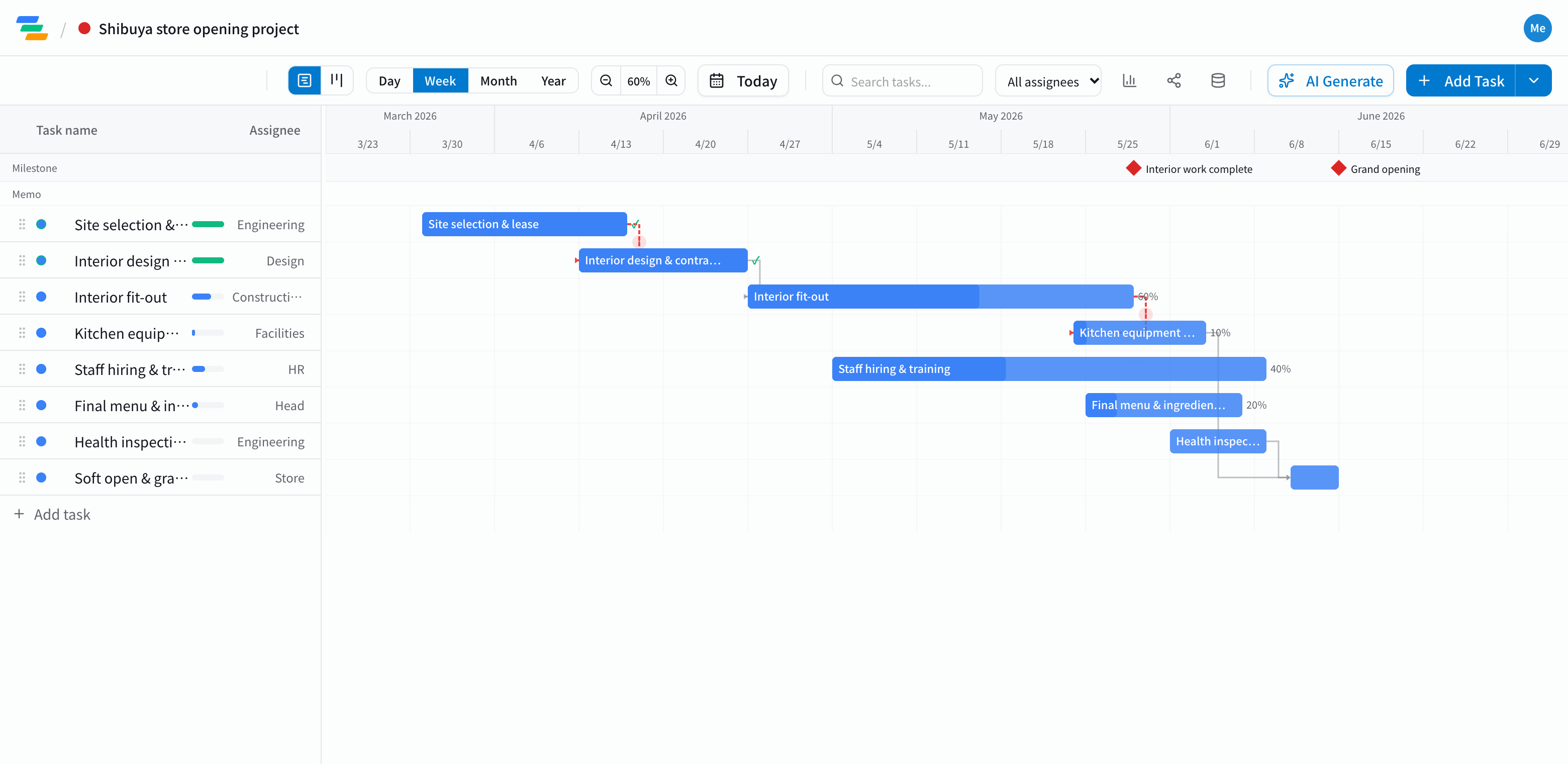
The main phases of a store opening
It depends on the format and the site, but most restaurant openings follow a flow like this. Retail and service locations have much the same structure.
- Site: choosing the location, signing the lease, getting the keys
- Fit-out: design, choosing a contractor, construction. A "fit-out complete" milestone makes the rest easier to plan
- Equipment: ordering and installing kitchen equipment and fixtures
- People: recruiting, hiring and training staff
- Opening prep: finalizing the menu and suppliers, health inspection and other permits, soft opening
See how construction delays hit opening day
A common problem: fit-out runs late and equipment delivery and inspections slip with it. Hiring and training are already tied to the opening date, so a construction delay means reworking everything.
In Ganty you link the tasks with arrows. Push the fit-out bar later and equipment, inspection and soft opening move with it. You can see right away whether you can still open on time and where to absorb the delay.
Everyone on the same plan
- Share links: show your contractor or head office the latest plan without an account (view-only, on every plan)
- On your phone: Ganty runs in the browser, so you can check and update the plan on site or on the move
- Export: export to Excel or PDF for head-office reports (Standard and above)
Draft the plan with AI
Write one line such as "Open a café downtown, sign the lease in April, open mid-June" and the AI drafts a plan with tasks, durations and dependencies. Adjust durations and check the permits you need for your site and format.
Getting started
- Sign up free and have the AI draft your opening plan from one line (or try the demo first, no signup)
- Make opening day a milestone and link the construction, equipment, hiring and permit tasks
- Send a share link to your contractor or head office. When plans change, just move the bar