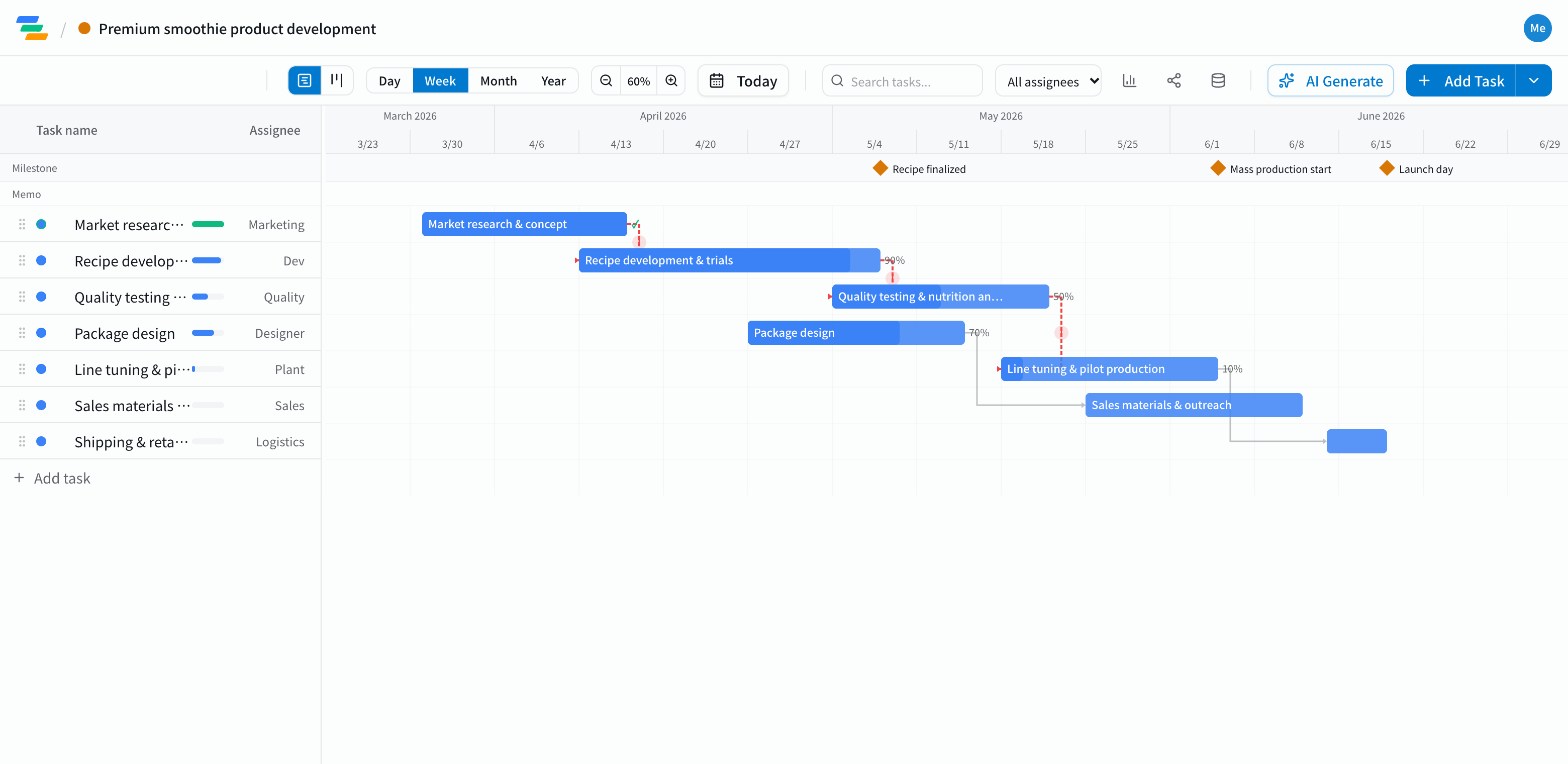
The main phases in a product development schedule
It varies by product and channel, but most new food and consumer products follow a flow like this.
- Planning: market research, concept, pricing and channels
- Prototyping and testing: recipe or spec development, prototypes, quality and nutrition testing
- Packaging: design, label checks, ordering materials
- Production prep: line setup, trial runs, full production
- Sales prep and launch: sales materials, briefing buyers, shipping and getting on shelves
Make the points of no return milestones
Some dates are hard to undo once passed: recipe lock, production start, launch day. Make them milestones so every team knows what must be finished by when.
Link the tasks with arrows, and when quality testing takes a week longer, trial production and shipping move with it. If launch day is now at risk, you can decide on the spot which steps to tighten.
Working across teams
- Clear ownership: put the owning team on each task so it's clear who picks up next
- Board view: see what's moving and what's stuck in columns by status
- Share links: show the factory or your design agency the latest plan without an account (view-only, on every plan)
- Export: export to Excel or PDF for meetings and internal approvals (Standard and above)
Draft the schedule with AI
Write one line such as "Launch a new smoothie in June, prototyping from April, new packaging" and the AI drafts a plan with tasks, durations and dependencies. Adjust it to your testing times and factory lead times.
Getting started
- Sign up free and pick the Product Launch template (or have the AI draft one from a single line)
- Add your own steps such as prototyping and quality testing, and set recipe lock, production start and launch as milestones
- Invite the teams involved, and send a share link to outside partners