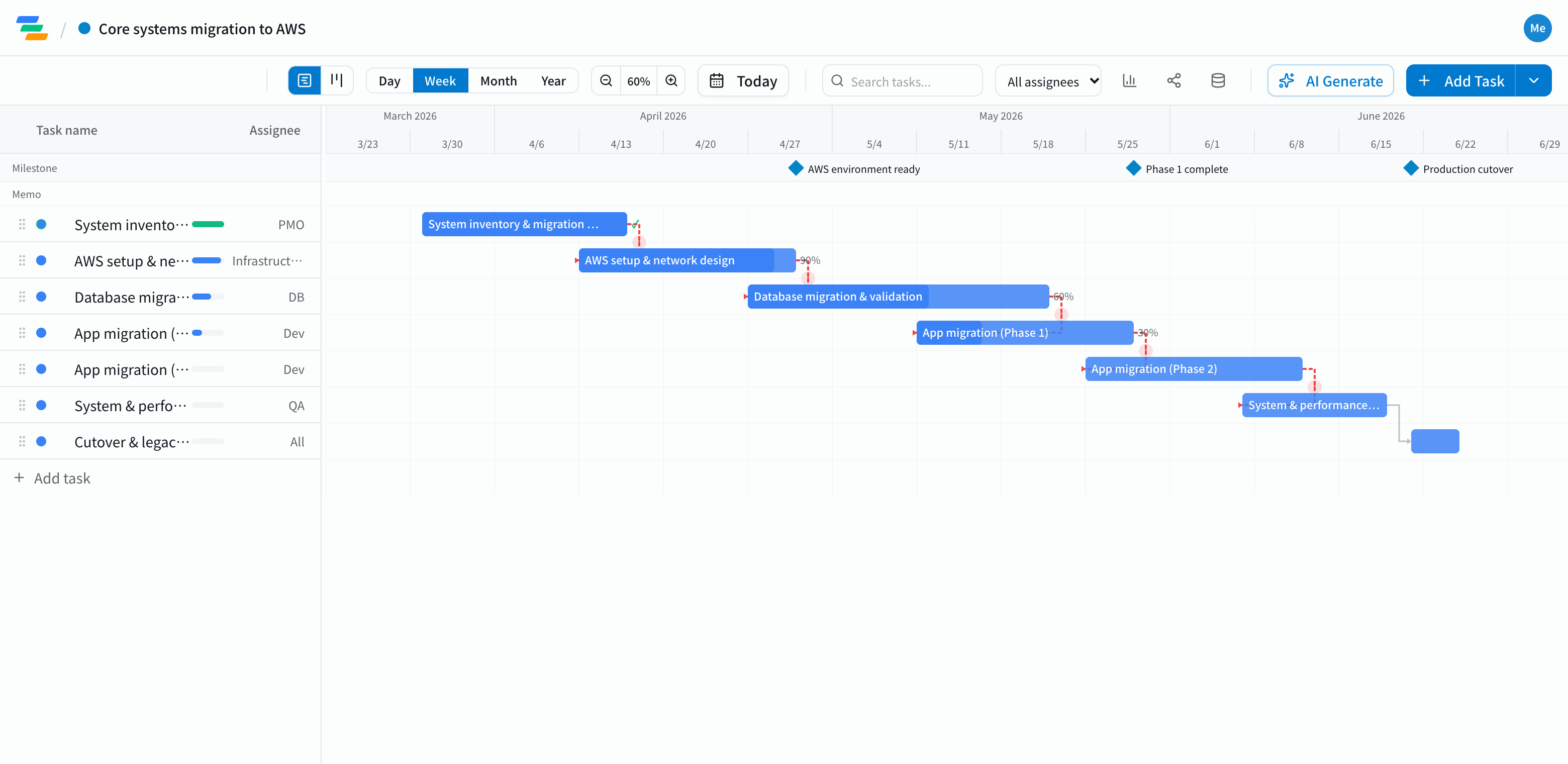
The main phases of a migration plan
It depends on the scale and approach, but most on-premises-to-cloud migrations follow a flow like this.
- Assessment and planning: inventory of systems and data, choosing the approach and order
- Environment: designing and building the cloud environment, network and access
- Data migration: moving the databases and checking integrity
- Application migration: moving applications in phases
- Testing and cutover: end-to-end and performance testing, cutover, decommissioning the old system
Link the steps and watch the cutover date
Migration work has a fixed order. You can't move data without the environment, can't move applications until the data checks out, and can't cut over until testing is done.
In Ganty you connect these with arrows. If data validation turns up problems and takes another week, move its bar and application migration, testing and cutover move with it. Cutover needs notice to the business, so finding out early matters.
Milestones such as "environment ready", "phase 1 complete" and "cutover" also make it easier to explain progress to stakeholders.
Keep stakeholders informed
- Share links: show business teams or leadership the latest plan without an account (view-only, on every plan)
- Board view: see what's moving and what's stuck in columns by status
- Export: export to Excel or PDF for status meetings and reports (Standard and above)
Draft the plan with AI
Write one line such as "Migrate our core systems to AWS, plan in April, cut over at the end of June" and the AI drafts a plan with tasks, durations and dependencies. Adjust it to your architecture and approach. You can also ask the AI to review the plan and point out unrealistic dates or likely delays.
Getting started
- Sign up free and have the AI draft your migration plan from one line (or try the demo first, no signup)
- Link the tasks in migration order and make cutover a milestone
- Invite your team and send a share link to the business teams