Project Management in Cursor: Run a Real Gantt Chart via MCP
Ganty Team
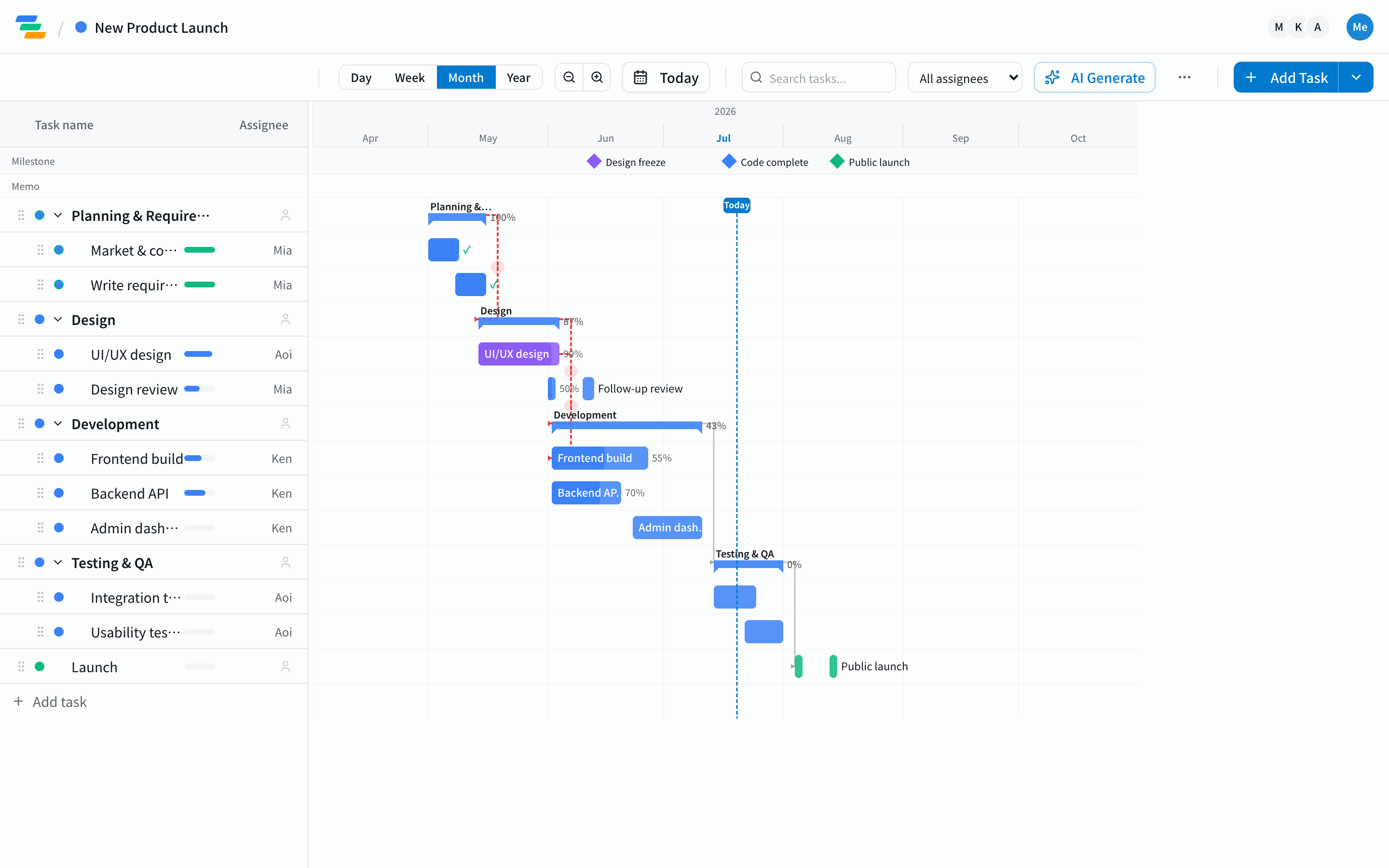
Cursor is an AI editor for writing code — but it is also an MCP (Model Context Protocol) client. That means, just like Claude or ChatGPT, Cursor can operate external tools directly. Add Ganty's MCP server and you can build, edit, and advance a project's Gantt chart without leaving your editor. Being able to ask "what should I ship this week?" mid-task is what makes it useful in practice.
Why manage projects in Cursor
Developers spend most of the day in the editor. Switching to a separate tool just to update progress or check tasks is a small but real tax. If Cursor is connected to Ganty's MCP server, you skip the switch.
- Stay in context: while coding, ask "mark this task done and tell me the next dependent task."
- Operate in plain language: create tasks, update progress, assign owners, and reschedule — without touching a UI.
- Synced with the team's Gantt: whatever you do from Cursor lands on the real Gantt chart your team sees. It is not a private note.
Add Ganty's MCP server to Cursor
The steps are the same as adding any other MCP server.
- Issue a token: Ganty dashboard → Settings → API Tokens (free on every plan).
- Add Ganty to Cursor's MCP config: register
https://ganty.app/api/mcpas the MCP server endpoint, along with the token you issued. - Call it from Cursor: ask "list this week's tasks" or "create tasks for the new feature," and Cursor picks Ganty's tools and runs them.
If setup gives you trouble, see MCP setup troubleshooting; for concrete commands, see 5 examples of operating a Gantt chart over MCP.
What you can do (examples)
- "What's due this week?" → lists tasks with approaching deadlines
- "Mark the backend API done." → updates progress
- "Design slipped two days — push everything after it." → cascades a reschedule along dependencies
- "What's the critical path?" → surfaces the tasks that delay the whole project if they slip
The important part is that the date math is not left to the AI's guessing. Critical path and delay cascades are computed on Ganty's server and returned to the client, so letting Cursor drive doesn't break your schedule (more in why AI-generated schedules drift).
How is this different from Claude or ChatGPT?
The operations are the same. Ganty is not tied to a specific AI — any MCP-capable client can call the same set of tools. Cursor's edge is that you can run the plan inside your coding flow. For the Claude Code workflow, see project management in Claude Code. For a full tool comparison, see the AI Gantt chart tools comparison.
Takeaway
Because Cursor is MCP-capable, adding Ganty's MCP server is all it takes to drive a Gantt chart straight from your editor. You keep your development context, and since the date calculations run on the server, letting the AI drive won't break your plan. Tokens and MCP integration are free on every plan, so you can start small.
Related Articles
7 Practical Examples of Automating Gantt Charts with Claude MCP: Now Including Critical Path and Shift-Impact Prediction
Seven MCP automation workflows for Ganty × Claude: stand-up prep, delay detection, weekly reports, GitHub-to-Ganty conversion, natural-language edits — plus new server-side critical path and shift-impact prediction tools. All with sample prompts.
2026-06-01How to Use Claude Code for Project Management: 5 MCP Examples for Natural-Language Gantt Workflows
A complete guide to operating Gantt charts from Claude Code in natural language. Setup, plus five developer-focused MCP patterns: auto-task from PRs, sprint progress summaries, release checklists, post-review delay surfacing, and code-aware task generation.
2026-06-019 Common MCP Setup Problems and How to Fix Them (Claude Desktop & Claude Code)
Complete MCP troubleshooting guide. Covers token/auth errors, config file JSON issues, port conflicts, SSL certificates, rate limits, and version mismatches — for both Claude Desktop and Claude Code, with a diagnostic flow.