Why AI-Generated Schedules Drift — and How to Tell If Yours Will
Ganty Team
"I generated a Gantt chart with AI, it looked great at first, but after I changed a few things the dates stopped adding up." If you have tried an AI Gantt chart, you have probably felt this. It is not you, and it is not bad luck. There is a structural reason: large language models (LLMs) are bad at date arithmetic.
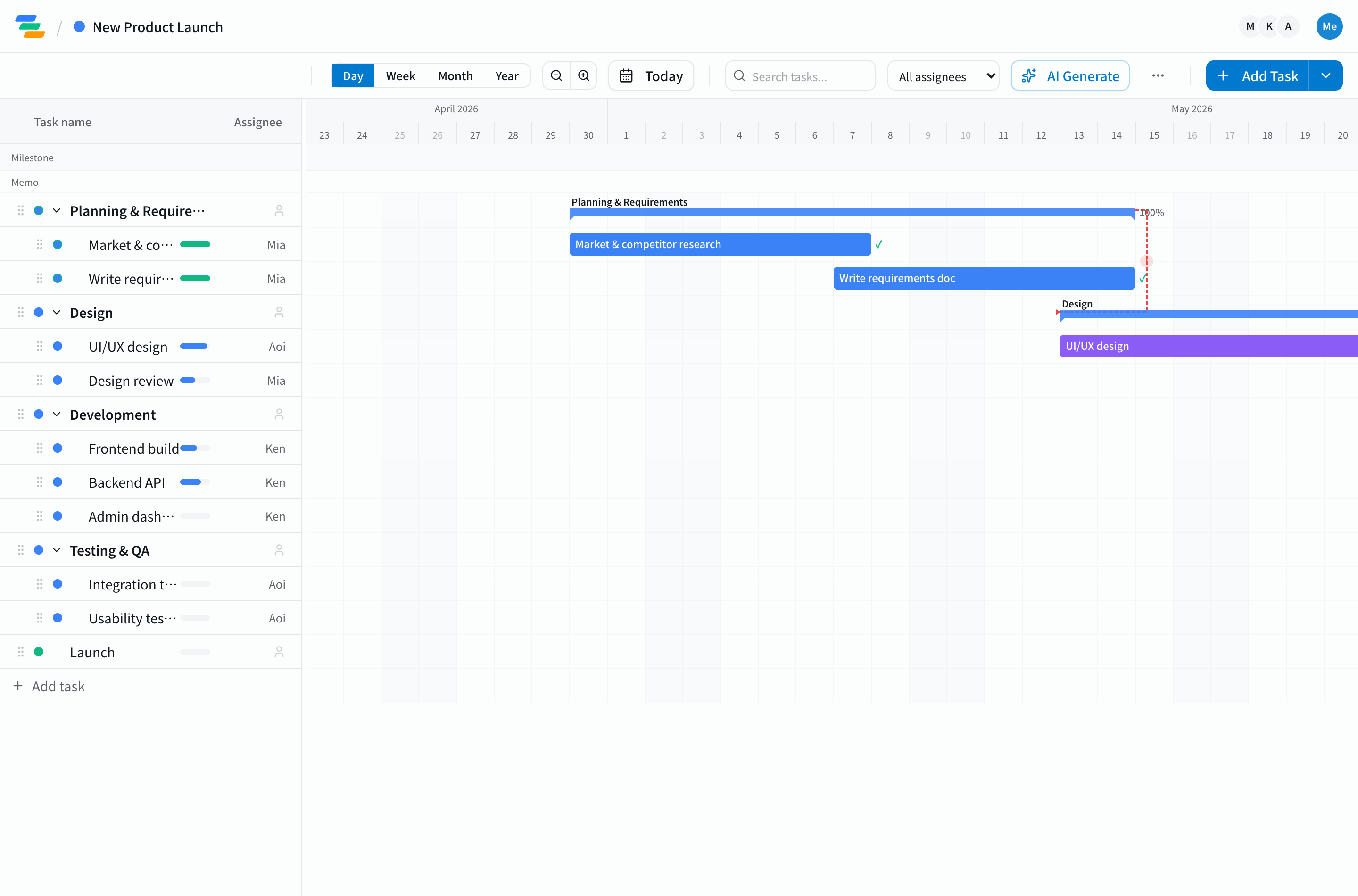
Three reasons AI gets the dates wrong
Generative AI is excellent at the first step — breaking work into tasks and laying them out. Drift creeps in at the next step: recalculating the dates. That step follows a fixed procedure, which sits badly with the way an LLM "generates something plausible."
- Dependency chains: when design slips two days, everything downstream — dev, test, release — has to move two days too. One dependency is easy; walking a branching dependency graph all the way to the end is exactly where LLMs drop links.
- Progress-aware remaining duration: a 10-day task that is 60% done has 4 days left, not 10. Recomputing it as "10 days from today" desyncs it from reality. Folding progress into the remaining work is easy to miss.
- Business days and holidays: "5 business days out" lands on a different calendar date depending on weekends and holidays. An LLM is not rigorously counting a calendar, so a few days of error slip in here.
The real trap: it looks clean on day one
The pitfall of AI generation is that the very first chart looks convincing. Right after generation the dependencies and progress are simple, so nothing is visibly broken. The cracks show up once a real project starts moving — a task slips, an owner changes, scope grows — and you make change after change. Each time the LLM re-derives the dates, small errors compound, until the schedule can no longer be trusted.
So the question is not "can the AI make a Gantt chart," but "once it is made, can the AI keep editing it without breaking the dates?" In our comparison of AI Gantt chart tools, this "after generation" part is exactly where tools diverge.
How to tell whether a tool will hold up
Before you let AI drive your schedule, check that the tool does the following.
- It does not leave date math to the model: critical path and delay cascades should be computed by the tool (on the server) using a fixed algorithm, not "reasoned out" by the LLM. This is the dividing line.
- It reschedules along dependencies in one shot: moving one task should cascade to everything downstream automatically. Fixing them one by one, by hand, is a breeding ground for drift.
- It does not stay silent when something is wrong: for uncomputable states like a cycle (A waits on B, B waits on A), it should surface an explicit error rather than papering over it with plausible-but-fake dates.
Ganty's approach: compute dates on the server
Ganty solves this by not letting the AI do the math. Critical-path calculation (get_critical_path) and dependency-aware bulk rescheduling (reschedule_and_propagate) run deterministically on the server, and the computed answer is handed back to the AI. Claude or ChatGPT simply relays and applies the result, so letting AI drive does not break your dates. For how it works under the hood, see why we don't let AI calculate critical paths.
To try "generate from one line, then run it with AI" yourself, the AI Gantt chart page has a no-signup demo.
Takeaway
AI schedules drift because LLMs are weak at date arithmetic — not because of anything you did. The trick to not getting burned is to choose on whether the dates survive repeated changes, not on how clean the first draft looks. Before you adopt a tool, confirm that it — not the model — owns the date calculation.
Related Articles
Why We Don't Let AI Calculate Critical Paths: Server-Side CPM in Ganty's MCP Tools
Asking the LLM to derive the critical path from a raw task list hallucinates. Ganty's new MCP tools get_critical_path / reschedule_and_propagate compute the answer on the server and return JSON. An architecture deep-dive on avoiding LLM math errors.
2026-09-18The Best AI Gantt Chart Tools in 2026: Claude MCP, ChatGPT, and Specialized Platforms Compared
The 2026 buyer's guide to AI Gantt chart tools. Compare 9 platforms across Claude MCP, ChatGPT, Asana AI, Monday AI, and Microsoft Project Copilot — with team-type recommendations, setup cost, and the AI features that actually move the needle.
2026-06-06How to Auto-Generate a Gantt Chart with AI (2026): Free, Step by Step
Type a one-line project description and let AI generate the tasks and schedule. This guide covers exactly how to auto-generate a Gantt chart with AI for free, prompt tips that improve accuracy, and how to keep it running instead of stopping at a one-shot chart. Ganty is free forever for up to 3 members, no credit card.