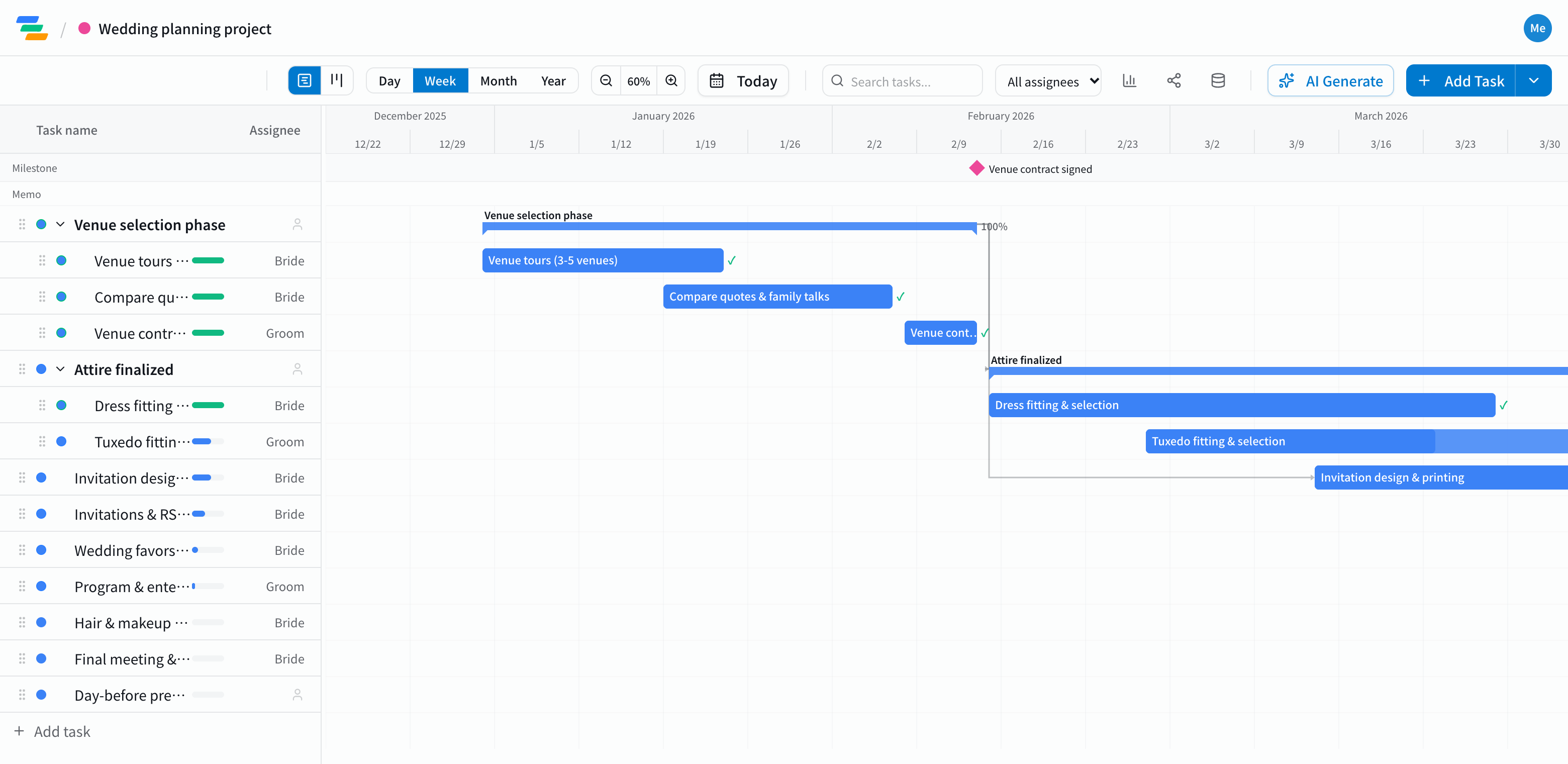
What goes into a wedding timeline
It depends on your style and how long you have, but most couples go roughly in this order. The template starts with this structure, so add or remove items to fit your plans.
- Venue: visits, comparing quotes, talking with family, signing the contract
- Attire: trying on and choosing the dress and suit
- Invitations: design and printing, sending, tracking RSVPs
- Favors and gifts: choosing favors and small gifts for guests
- Program and the day: planning the program, the hair and makeup trial, the final meeting and seating
Make the fixed dates milestones
The wedding day, sending invitations and confirming the final headcount are dates that won't move. Mark them as milestones and it's clear what has to be done before each one.
Steps that depend on each other, like printing before sending, can be linked with arrows. If the design takes longer, drag the bar later and sending and RSVP tracking move with it, so you can see whether you'll still send on time.
Compared with notes or a spreadsheet
- Editing together: invite your partner as a member and you both update the same timeline. Assign each task so it's clear who's doing it
- Sharing with family: send a share link and parents can follow along without an account (view-only, on every plan)
- Phone: Ganty runs in the browser, so you can check it on your phone during venue meetings
Draft the timeline with AI
Write one line such as "Wedding at the end of August, starting to plan in January, about 60 guests" and the AI drafts the tasks, timing and dependencies. Adjust it to your venue's rules and your own plans.
Getting started
- Sign up free and pick the wedding planning template (or have the AI draft one from a single line)
- Set the wedding date and adjust the timing and owners to fit you both
- Invite your partner as a member and send a share link to your parents