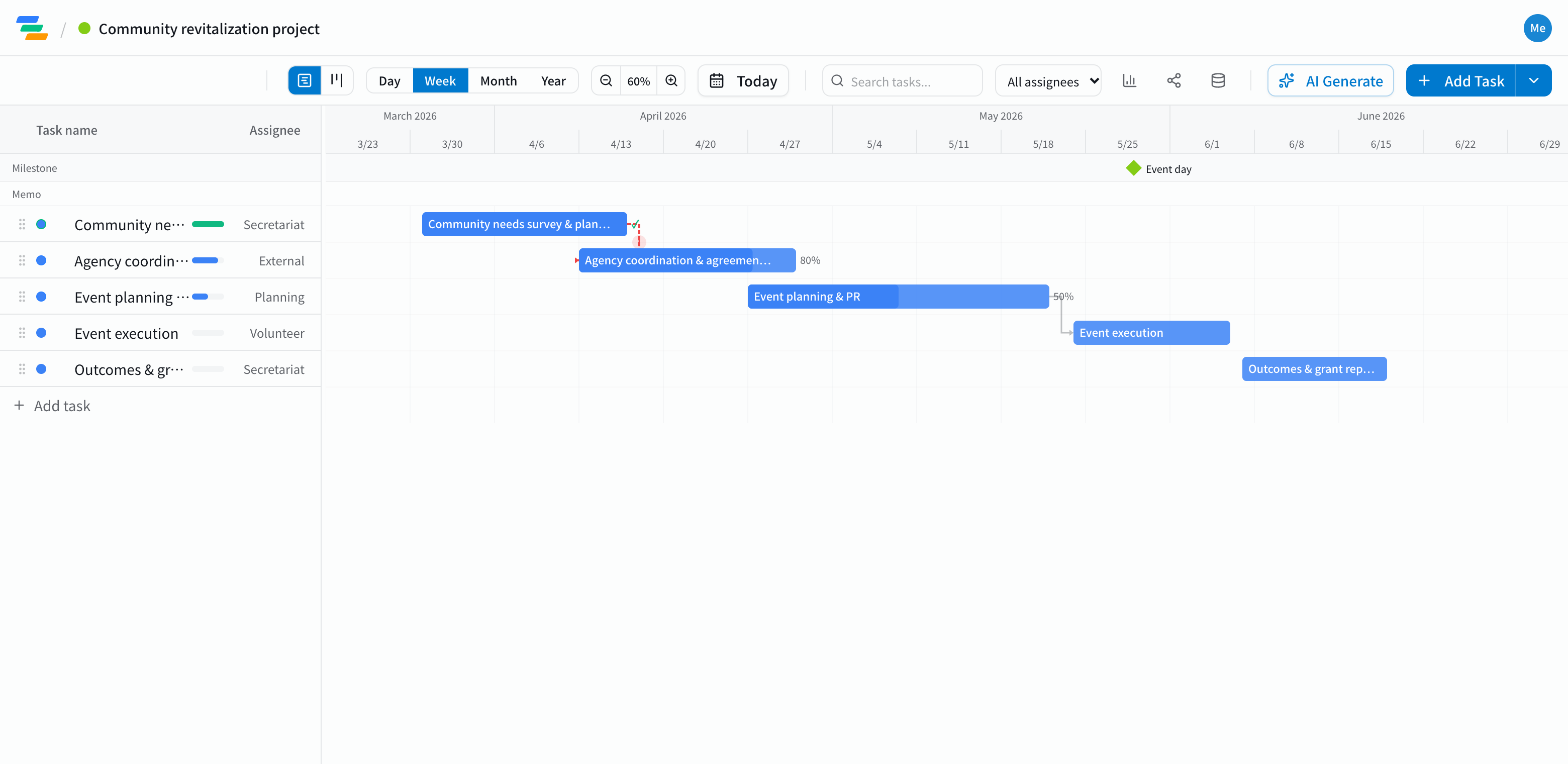
The main phases of a community project
Every project is different, but grant-funded or commissioned work usually follows a flow like this.
- Research and planning: needs research with residents or service users, writing the project plan
- Partner coordination: meetings with local government, partner groups and venues; agreements and contracts
- Planning and outreach: designing the event or program, flyers and social posts, recruiting participants
- Delivery: running the day and placing volunteers
- Reporting: pulling results together and reporting to funders or the council
Make the fixed dates milestones
The event date and the report deadline don't move. Put them on the chart as milestones (the diamond markers) and you can see what has to be done by when.
Link the tasks with arrows, and if partner coordination runs long and planning starts late, everything after it moves too. You can check right away whether you'll still make the event date.
Share with volunteers and partners
- Share links: send a link and volunteers or partner groups see the latest plan without an account (view-only, on every plan)
- Clear ownership: put an owner on each task so everyone can see who is handling what
- For reports: export to Excel or PDF and attach the plan to funding reports (Standard and above)
Draft the plan with AI
Write one line such as "Start a community kids' meal program: research in April, first session in June, grant report in July" and the AI drafts a plan with tasks, durations and dependencies. Adjust the durations and owners to fit your organization.
Getting started
- Sign up free and have the AI draft your project from one line (or try the demo first, no signup)
- Add the event date and report deadline as milestones, then link the tasks with arrows
- Send a share link to volunteers and partners. When plans change, just move the bar