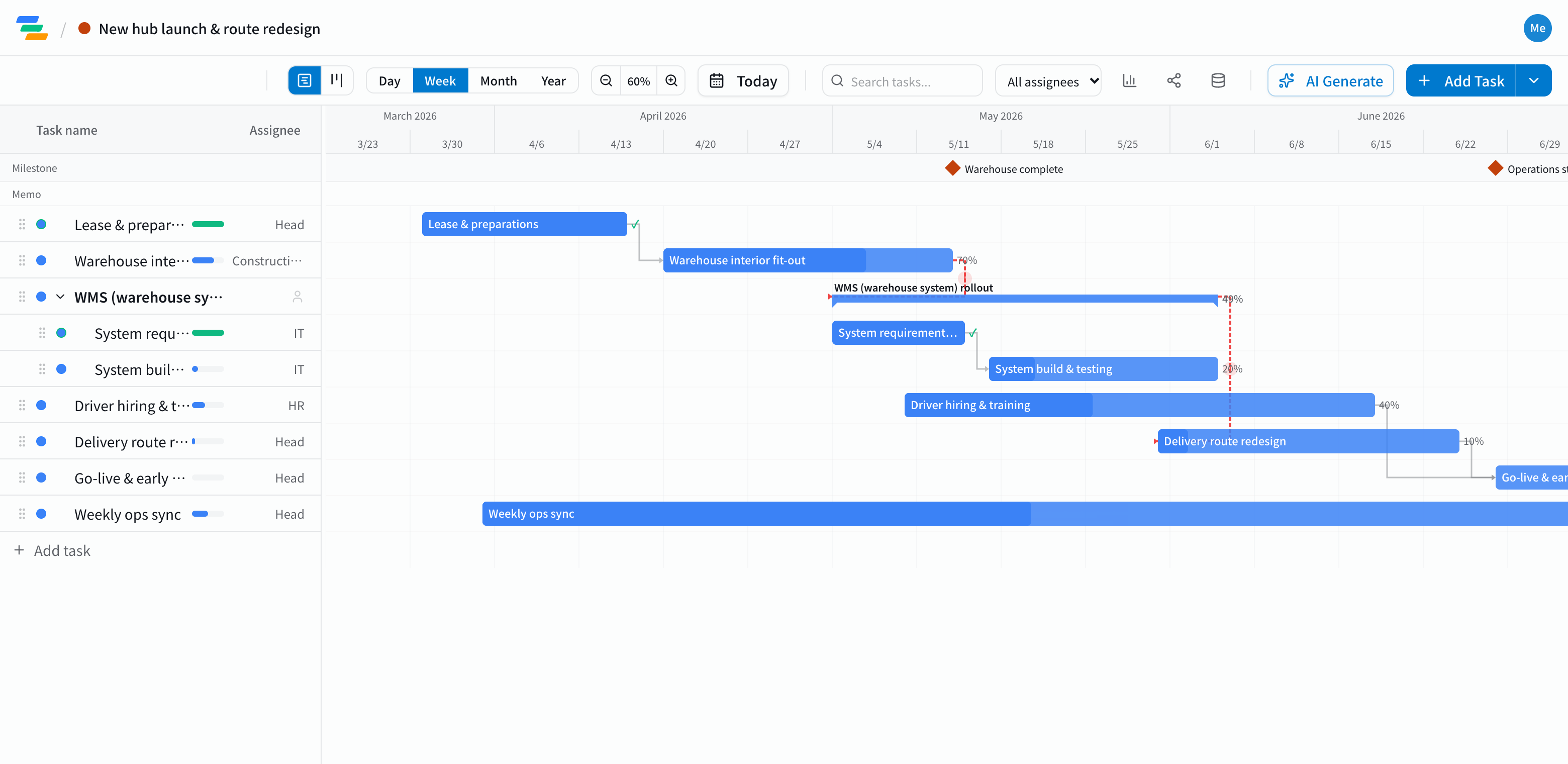
The main phases of a hub launch
It depends on size and type of operation, but most new warehouse or hub launches follow a flow like this.
- Site and lease: site selection, lease, permits and notifications
- Warehouse fit-out: interior work, racking and equipment. Mark completion as a milestone
- Systems: WMS (warehouse management system) requirements, build and testing
- People: hiring and training drivers and warehouse staff
- Delivery: redesigning routes, notifying shippers and customers
- Go-live: the go-live milestone and the first weeks of operation
Link work across teams
In a hub launch, work owned by different teams depends on each other: you can't test the system before the warehouse is ready, and training depends on the final routes.
In Ganty you connect these with arrows. If the fit-out slips a week, drag the bar and everything linked after it moves too, so you can see right away whether go-live is still on track.
Compared with a spreadsheet schedule
- Changes: move one bar and the later work follows, instead of fixing each row
- Sharing: send a share link and contractors, vendors or shippers see the latest schedule without an account (view-only, on every plan)
- Editing together: invite your team as members and each owner updates their own work at the same time, with presence showing who's looking
- Export: export to Excel or PDF for status meetings (Standard and above)
Draft the schedule with AI
Write one line such as "New distribution warehouse, lease in April, go live in July, including WMS rollout and driver hiring" and the AI drafts phases, durations and dependencies. Adjust the durations to your situation. You can also ask the AI to review the schedule and point out unrealistic dates or likely delays.
Getting started
- Sign up free and have the AI draft the schedule from one line (or try the demo on this page first)
- Adjust names, dates and owners, link the phases, and make go-live a milestone
- Invite the owners as members and send a share link to outside partners