How to lay out a hiring timeline
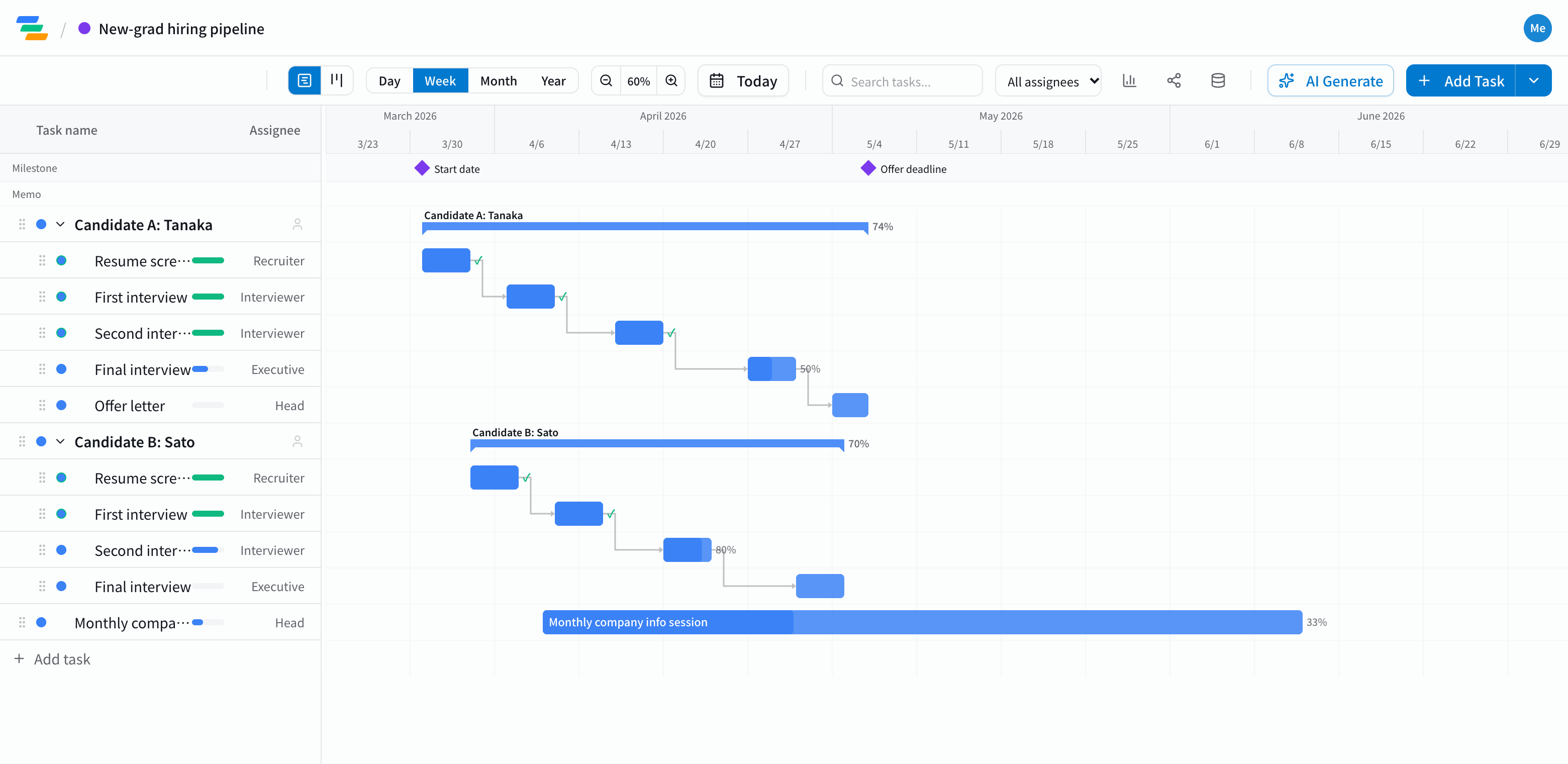
Every company hires differently, but on a Gantt chart it reads best with each candidate as a parent task and their stages as subtasks.
- Sourcing and info sessions: posting the job and holding info sessions. Keep recurring sessions on one row
- Selection: screening, first, second and final interviews
- Offer: sending the offer and confirming acceptance
- Onboarding: paperwork and training preparation
- Milestones: fixed dates such as the offer deadline or the start date
Link the stages
Stages happen in order: screening, then the first interview, and so on. In Ganty you link them with arrows, so when an interview moves later, the following stages move too, and you can see right away whether the offer deadline still holds.
Switch to the board view to see the stages grouped by status.
Compared with a hiring spreadsheet
- Deadlines you can see: laid out over time rather than in a table, it's easier to spot crowded interview weeks and candidates who have stalled
- Editing together: invite interviewers and HR as members and everyone updates dates and results at the same time
- Sharing: a share link shows executives the latest status without an account (view-only, on every plan)
- Export: export to Excel or PDF for reports (Standard and above)
Only enter the candidate details you actually need. Anyone who has a share link can view the chart.
Draft the timeline with AI
Write one line such as "New-grad hiring, screening from April, three interview rounds, offers by end of May" and the AI drafts the stages, durations and dependencies. Adjust it to your own process.
Getting started
- Sign up free and have the AI draft the timeline from one line (or try the demo on this page first)
- Create a parent task per candidate, list their stages and link them
- Make the offer deadline and start date milestones, and invite your interviewers