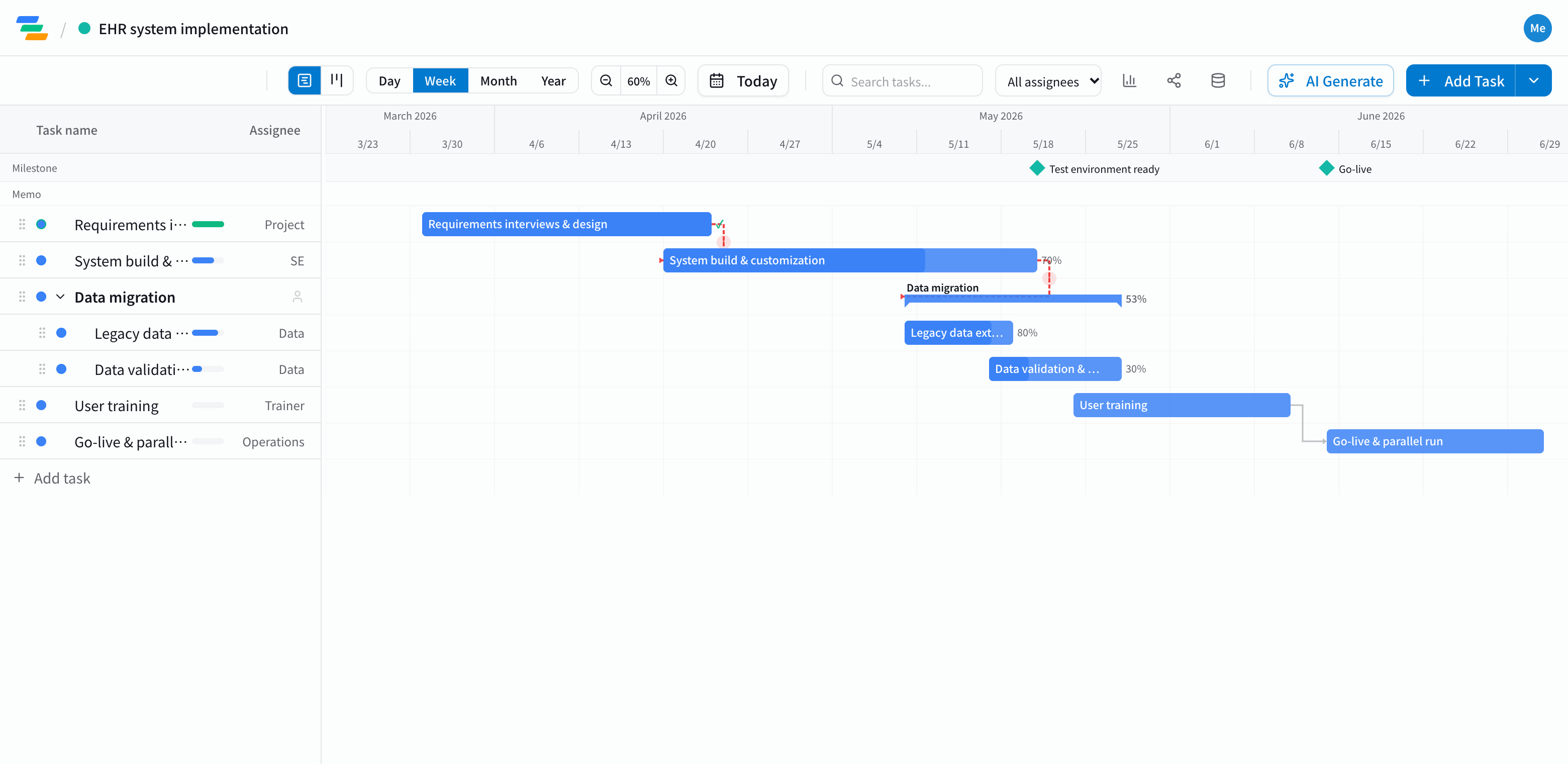
The main phases of a healthcare system rollout
EHRs, scheduling systems, billing or other clinical systems all follow a similar flow when you replace them.
- Requirements and design: understanding how each department works, deciding what the system must do
- Build and configuration: setup with the vendor, preparing a test environment. Mark the test environment as a milestone
- Data migration: extracting data from the old system, validating it, loading it
- Staff training: role-based training for physicians, nurses and administrative staff
- Go-live and parallel running: the switchover, a period of running both systems, handling questions. Make go-live a milestone too
Work backward from go-live and link the steps
Go-live dates rarely move easily. Place go-live as a milestone and work out when migration and training must be finished.
Link the steps with arrows and you can see, for example, how far training and migration checks slide when the test environment is late, and whether you still make go-live. Vendors and internal teams can look at the same chart while you adjust.
Compared with a spreadsheet plan
- Changes: in a spreadsheet you recolor each shifted cell; in Ganty you move one bar and the rest follow
- Sharing: send a share link and vendors or department leads see the latest plan without an account (view-only, on every plan)
- Owners and progress: give each task an owner and a progress percentage, and use the board view to see what's not started, in progress and done
- Export: export to Excel or PDF for internal meetings (Standard and above)
Ganty is a scheduling tool. Please don't enter patient or clinical information.
Draft the plan with AI
Write one line such as "Replace our clinic's EHR, start evaluation in January, go live in May" and the AI drafts a plan with phases, durations and dependencies. Treat it as a starting point and adjust it to your vendor's timeline and your organization. You can also ask the AI to review it and point out unrealistic dates or likely delays.
Getting started
- Sign up free and have the AI draft a plan from one line (or start from an empty project)
- Place go-live as a milestone, adjust phases, dates and owners, and link them with arrows
- Send a share link to the vendor and departments. When plans change, just move the bar
Before signing up, you can also try the sample plan on this page with "Try the demo".