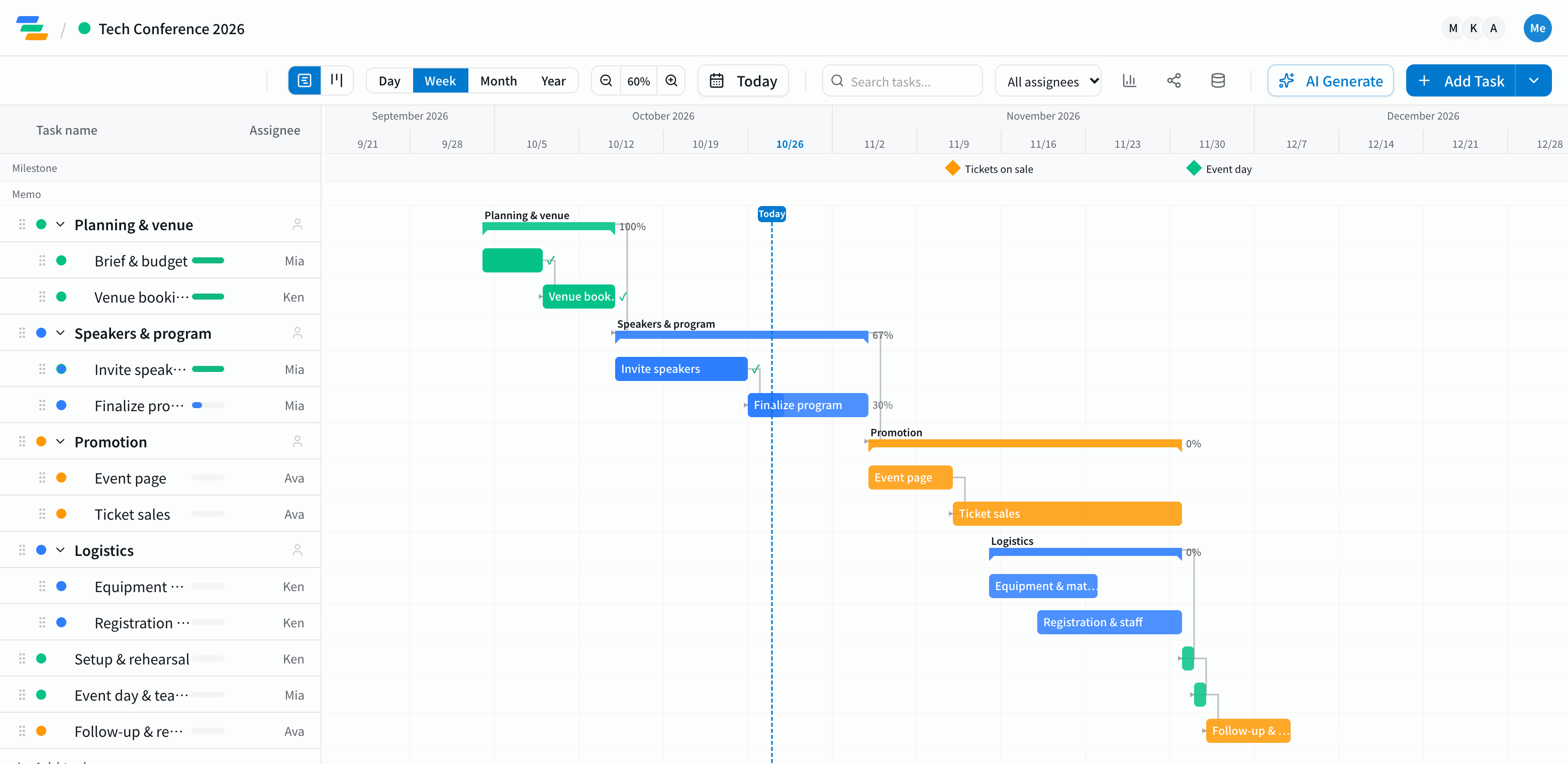
The main stages of event planning
Seminars, conferences, trade shows and internal events differ in size, but the preparation follows much the same path.
- Planning and budget: goals, audience, size and budget
- Venue: shortlisting, site visits and the contract. Popular venues book up early, so this comes first
- Speakers and performers: invitations, scheduling and the final program
- Promotion: event page, invitations and social posts. Make the ticket launch a milestone
- Registration and logistics: sign-ups, badges, materials, equipment and staff
- Setup and rehearsal: building the venue and running through the day
- The event and teardown
- Follow-up: surveys, a report and lessons for next time
Make the event date a milestone and work backward
Start by placing the event date as a milestone, then lay out the work in front of it. The order of decisions becomes clear: promotion starts six weeks out, so speakers have to be confirmed before that.
Link the stages with arrows and you can see what a delay does. If speaker confirmation slips a week, you see at once how far promotion and registration get pushed. If something no longer fits before the event date, it's easier to decide what to pull forward.
Sharing the work with your team
- Owners: assign each task and filter the chart to see only your own work
- Sharing: share links let agencies and speakers see the latest plan (view-only, on every plan)
- Real-time editing: several people can open and update the same timeline at once
Draft the timeline with AI
Write one line such as "300-person tech conference on June 13" and the AI drafts the preparation steps leading up to the date. Adjust the durations and order to fit your team.
Getting started
- Sign up free and pick the event planning template (or have the AI draft one from a single line)
- Place the event date as a milestone and set durations and owners
- Link the steps in the order decisions have to be made, then share the link with everyone involved