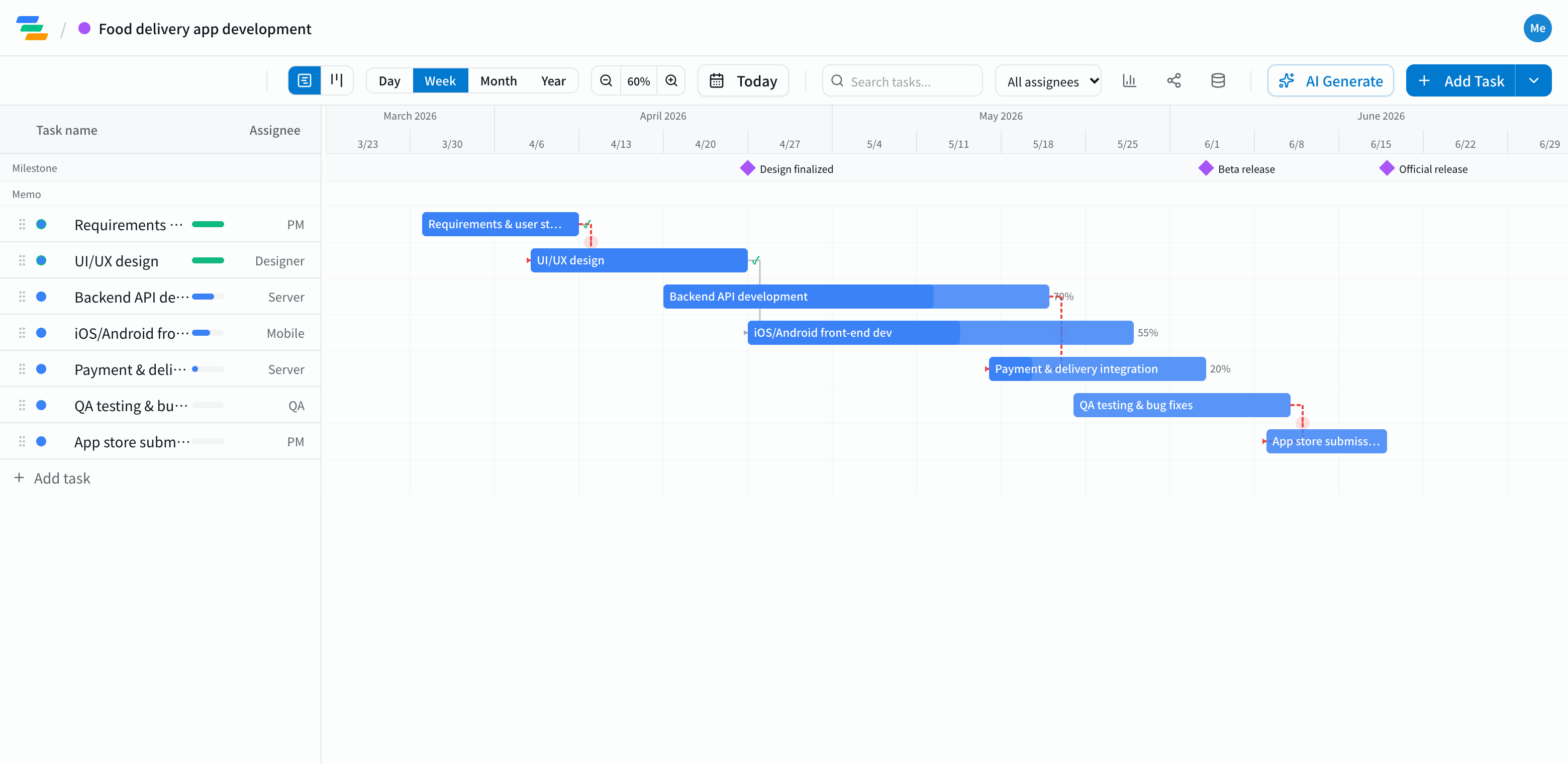
The main phases in an app development schedule
It depends on the app and how your team works, but most projects follow a flow like this. The template starts with this structure, so you can adjust it to your process.
- Requirements: user stories, screen list, feature priorities
- Design: wireframes and UI design. A "design locked" milestone makes it clear when building can start
- Backend: API, database, payments and third-party integrations
- Mobile: iOS and Android screens and features
- QA and release: testing and fixes, beta, store submission and review
Link overlapping work
App work overlaps: the API often starts while design is still going. But some things must happen in order: payments can't be integrated until the API exists, and you can't submit until QA is done.
In Ganty you connect these with arrows. If the API takes an extra week, move its bar and the integration, QA and submission move with it. Add store review time as its own task and you can check there's enough slack before you promise a release date.
Built for running it as a team
- Board view: see tasks in columns by status. Use the board for day-to-day progress and the timeline for the overall schedule
- Real-time editing: several people can edit the same schedule and see who else is in it
- Share links: show clients or stakeholders the latest schedule without an account (view-only, on every plan)
- Export: export to Excel or PDF for status meetings and reports (Standard and above)
Draft the schedule with AI
Write one line such as "Build a food delivery app for iOS and Android, start in April, launch in the stores in June" and the AI drafts a schedule with phases, durations and dependencies. Adjust it to your team size and estimates. You can also ask the AI to review the schedule and point out overloaded stretches or likely delays.
Getting started
- Sign up free and pick the Mobile App Development template (or have the AI draft one from a single line)
- Adjust tasks, dates and owners to your team, then link them with arrows
- Invite your team. Track daily progress on the board and the big picture on the timeline