The Best AI Gantt Chart Tools in 2026: Claude MCP, ChatGPT, and Specialized Platforms Compared
Ganty Team
In 2026, the most important feature in a Gantt chart tool is whether AI can drive it. This guide compares nine AI-enabled Gantt and project management tools by implementation method, ecosystem support, cost, and team-size fit. The biggest 2026 trend — Claude MCP adoption — reshapes the buying decision, and this guide reflects that.
The short answer
- Build it with AI and keep operating it from AI → Ganty (native MCP, free for up to 3 members)
- Developer team centered on Git → Linear
- Depth of the Gantt chart itself → a dedicated tool such as GanttPRO
Contents
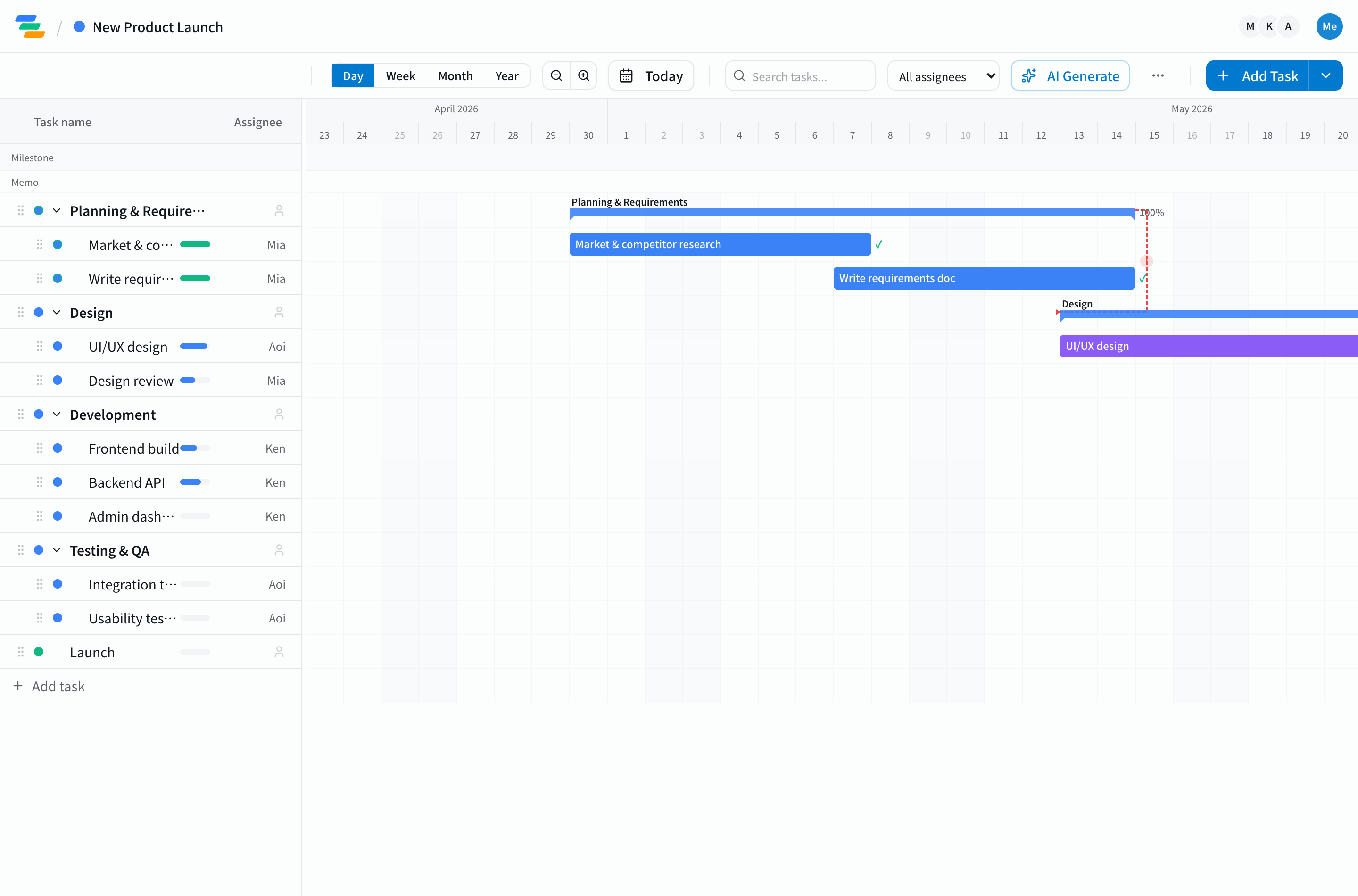
Three Categories of AI-Enabled Gantt Tools
The "AI Gantt chart" market in 2026 fragments into three implementation categories with clearly different strengths and weaknesses.
- MCP-native: built to be driven by general-purpose AI agents like Claude in natural language. Highest write/edit freedom. Examples: Ganty, newer startups.
- AI add-ons: AI bolted on to existing tools, strong on read-only patterns like summarization and natural-language search. Examples: Asana, Monday, ClickUp.
- Enterprise-integrated: operated from within M365 or Google Workspace via Copilot/Gemini. Microsoft Project + Copilot is the canonical example.
Selection Criteria for the 9 Products
From the broader "AI Gantt chart" market, we picked nine that (1) ship Gantt as a standard view, (2) have AI features actually implemented (not marketing), and (3) are usable today as of May 2026.
Product Highlights and Verdicts
1. Ganty — MCP-Native ★
Claude MCP integration free on every plan. Create tasks, edit, update progress, and shift durations from natural language. Specialized Gantt features (multi-period tasks). Free for 3 members.
As more tools ship MCP servers, the differentiator is how the scheduling math is handled. LLMs are unreliable at date arithmetic, so Ganty computes the critical path and dependency-aware bulk rescheduling exactly on the server and returns the result to the AI — which is why letting AI drive doesn't break your dates. See our 5 MCP examples and what an AI Gantt chart is.
2. Linear — MCP, Developer-First
Added MCP support in late 2025. Strong Git-flow integration tailored to developers. Gantt features are basic but pair well with Claude Code. Popular with startup engineering teams.
3. Asana + Asana AI — AI Add-on
Strong on progress summarization, natural-language search, smart goal setting. Asana now ships an official MCP server (V2), so AI clients can drive tasks and projects directly. Timeline (= Gantt) is included, though it is a timeline view rather than a dedicated Gantt tool. Suits larger teams spanning marketing and sales.
4. Monday.com + Monday AI
Strong automation (assignment, deadline suggestion). No MCP yet, but custom integrations possible via API. UI/UX excels for non-engineer teams. Pricier.
5. ClickUp + ClickUp Brain
"Everything app" approach. ClickUp Brain enables doc summarization and task auto-generation. MCP planned. Higher learning curve.
6. Microsoft Project + Copilot
Operated via Copilot within the M365 ecosystem. The enterprise default. No MCP, but Copilot's NL interface offers a similar experience. High license and learning costs.
7. Notion + Notion AI
Not strictly a Gantt tool, but Timeline view fakes it. Notion AI handles summarization and related-task suggestions. See Notion Gantt chart limits for trade-offs.
8. Smartsheet + AI Features
Legacy spreadsheet-meets-Gantt tool. AI features recently strengthened but UI is dated. Strong fit for construction and manufacturing at scale.
9. Wrike + AI Recommendations
Strong on predictive AI (risk forecasting, deadline suggestions). Full Gantt features. Popular with marketing and creative teams.
Comparison Table
| Product | MCP | AI Write | Free Plan | Learning Curve | Best For |
|---|---|---|---|---|---|
| Ganty | Built-in | ★★★ | 3 users | Low | Dev / SMB |
| Linear | Built-in | ★★ | Yes | Mid | Dev startups |
| Asana | Beta | ★ | 15 users | Mid | Large mixed teams |
| Monday | — | ★ | 2 users | Low | Non-tech |
| ClickUp | Planned | ★ | Yes | High | Multi-purpose |
| MS Project | (via Copilot) | ★★ | No | High | Enterprise |
| GanttPRO | — | — | No (trial) | Mid | Gantt-focused, classic PM |
| TeamGantt | — | — | Limited | Low | Small teams / beginners |
| Instagantt | — | — | Limited | Low | Alongside Asana |
Dedicated Gantt Tools (GanttPRO / TeamGantt / Instagantt)
So far we compared AI features inside general project management platforms. If your priority is the quality of the Gantt chart itself, dedicated Gantt tools belong on your shortlist. None offer prompt-to-plan AI or MCP, but they are mature schedulers.
- GanttPRO — polished and paid; strong on traditional PM (resource allocation, baselines). Per-seat, no free-forever plan. → Consider a GanttPRO alternative
- TeamGantt — beginner-friendly UI; the free tier is limited in scope. → Consider a TeamGantt alternative
- Instagantt — shines alongside Asana; less compelling if you do not use Asana. → Consider an Instagantt alternative
If the Gantt inside the platforms above feels thin, see the Monday.com Gantt alternative and the Asana Gantt alternative. On a budget? Free AI Gantt chart tools explains what "free" actually means.
Recommendations by Team Type
Developer-Led SMB (5-50 People)
If your team already uses Claude Code, Ganty or Linear are the front-runners. Our Claude Code project management guide shows the practical patterns. Cost-minimize with Ganty (free); Git-integrate with Linear.
Larger Cross-Functional Teams (50+)
Asana AI or Monday AI are pragmatic picks — layering AI on existing workflows delivers fast wins, and Asana ships an official MCP server. Dedicated tools still lead on Gantt depth, so engineering pods within these companies increasingly pair an MCP-native Gantt tool alongside the org-wide pick.
Enterprise (500+, Compliance-Driven)
Microsoft Project + Copilot or Smartsheet are realistic. M365 integration, SSO, audit logs — enterprise products lead here.
2026-2027 Trends
Three directions are crystallizing.
- MCP standardization: most major PM tools will support MCP within 2026. "Has MCP" becomes a standard criterion.
- Multi-agent workflows: teams running Claude + Cursor + Copilot in parallel against one PM tool will appear.
- Predictive AI: delay forecasting and resource optimization based on past projects becomes table stakes.
Next Steps
All products mentioned offer free trials or free tiers. For Ganty's feature overview with a no-signup demo, see the AI Gantt chart page. To try Claude MCP integration, set up Ganty's MCP guide in 5 minutes. If you hit issues, our 9 common MCP setup problems guide covers the typical fixes. For the broader picture see our AI project management guide.
Related Articles
GanttPRO Alternative: An AI-First Gantt Chart You Can Start Free
Looking for a GanttPRO alternative? GanttPRO is a polished paid tool, but it's per-seat with no free-forever plan, and it doesn't generate a plan from a prompt or connect to an AI assistant (MCP). Here's an honest comparison with Ganty, which builds a Gantt from one line, starts free, and can be operated from Claude.
2026-09-18A Monday.com Gantt Alternative: A Real Gantt You Build and Run With AI
If Monday.com's Gantt (timeline) feels thin, here's an honest look. Monday is a broad work OS, but its Gantt is one feature in higher tiers, with no prompt-to-plan AI or AI-assistant (MCP) control. Compare it with Ganty — a dedicated Gantt built from one line, operable from Claude, free for up to 3.
2026-09-18An Asana Gantt Alternative: Beyond Timeline, a Real AI Gantt
If Asana's Timeline (Gantt) feels limited, here's an honest look. Asana is great at task management, but its Gantt is a paid feature with no prompt-to-plan AI or AI-assistant (MCP) control. Compare it with Ganty — an AI-built Gantt you can operate from Claude, share view-only, and start free for up to 3.