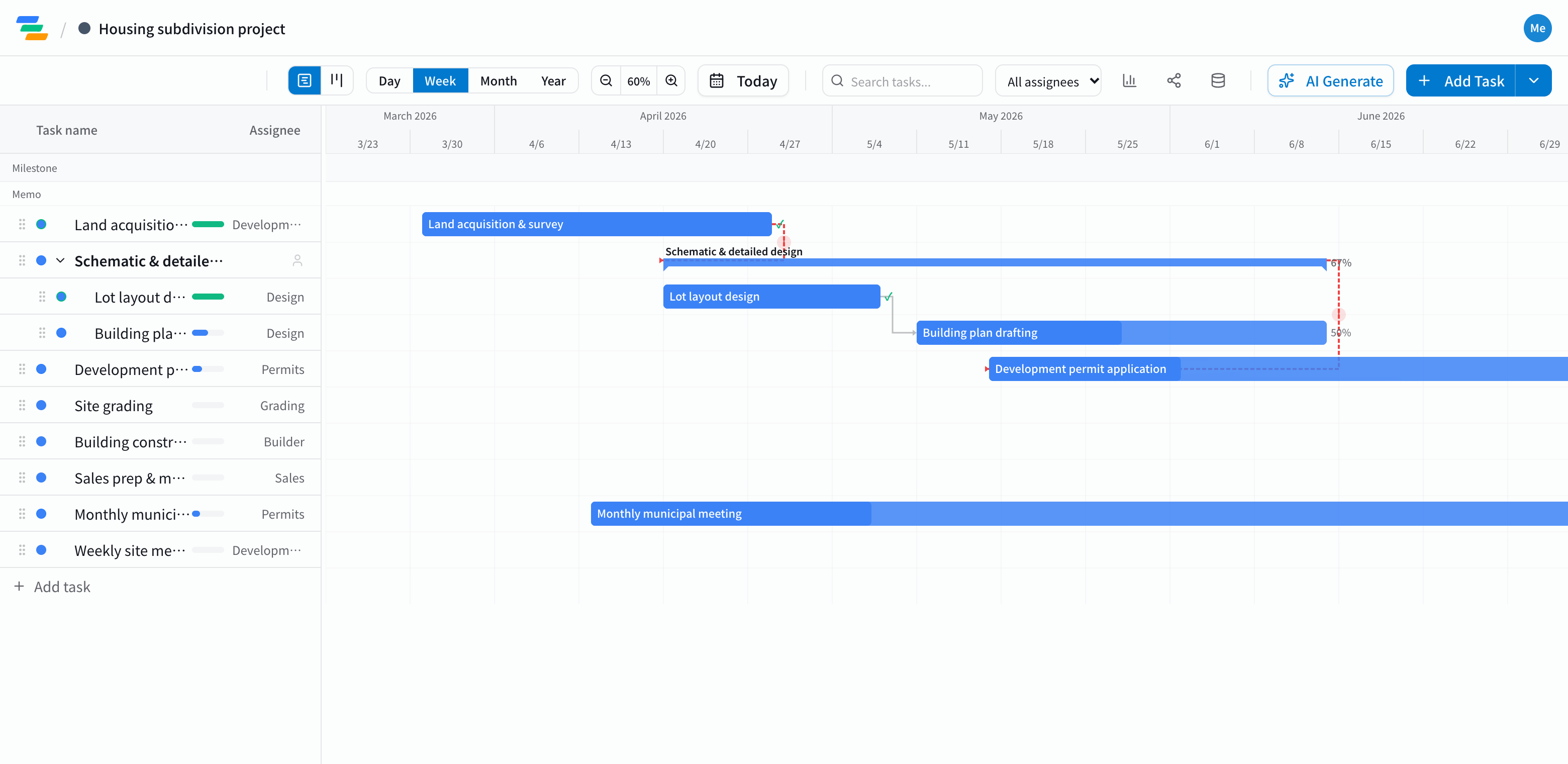
The main phases of a development schedule
It depends on the type and size of the project, but a housing subdivision usually follows a flow like this.
- Land and due diligence: acquiring the land, surveying, checking regulations
- Design: lot layout and house plans
- Permits: development permit applications and talks with the local authority. Make the permit a milestone
- Site work and construction: grading and building. Completing site work is another key point
- Sales: sales preparation, model homes and the sales launch
See how the permit date ripples through
Development is a chain of steps that can't start until the previous one is done: no site work before the permit, no building before site work.
In Ganty you connect these with arrows. If the permit looks a month late, drag the application bar later and site work, construction and the sales launch all move with it, so you can see the new launch date right away.
Compared with a spreadsheet schedule
- Changes: even on a long schedule, move one bar and the later phases follow
- Sharing: send a share link and architects, contractors or sales agents see the latest schedule without an account (view-only, on every plan)
- Export: export to Excel or PDF for meetings and reports (Standard and above)
Draft the schedule with AI
Write one line such as "10-lot housing subdivision, buy land in April, start sales by year end" and the AI drafts phases, durations and dependencies. Permit times vary by area and project, so adjust them to your situation. You can also ask the AI to review the schedule and point out unrealistic dates.
Getting started
- Sign up free and have the AI draft the schedule from one line (or try the demo on this page first)
- Adjust names, dates and owners, link the phases, and make the permit and sales launch milestones
- Send a share link to your partners. When plans change, just move the bar