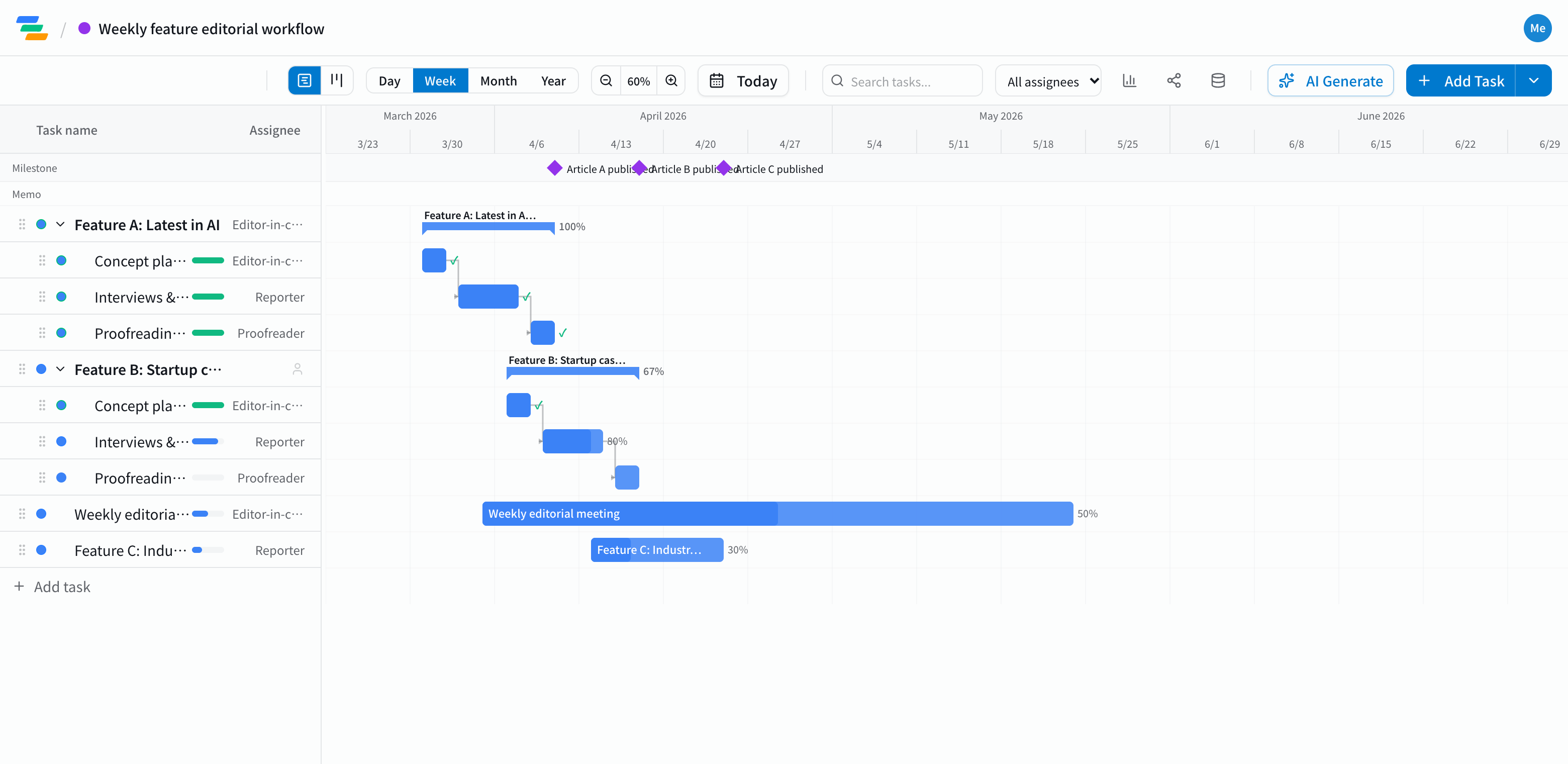
How to structure the schedule
Each article or book goes through the same steps. Make one parent task per piece with its steps inside, and the overall picture becomes easy to read.
- Planning: choosing the topic, outline, lining up sources
- Reporting and writing: interviews, drafting, photos and graphics
- Editing: editor review, copyediting, sign-off from sources
- Publishing: publish or send to print. Make the publish date a milestone
See overlapping pieces on one chart
In an editorial team, one piece is in editing while the next is being reported and the one after is being planned, all in the same week. Laid out piece by piece, the Gantt chart shows which weeks are crowded and for whom.
Link the steps with arrows, and when reporting runs long, editing and publishing move with it. You spot pieces that will miss their date early and can reshuffle the order.
Recurring items such as a weekly editorial meeting can be shown as a single task with several date ranges.
Built for editorial teams
- Clear ownership: put the writer, editor or copyeditor on each step so everyone knows who picks up next
- Board view: see every piece in columns by status, such as not started, in progress and done
- Share links: show freelance writers or sources the latest schedule without an account (view-only, on every plan)
Draft the schedule with AI
Write one line such as "One feature a week: 3 days planning, 6 days reporting and writing, 3 days editing" and the AI drafts a schedule with tasks, durations and dependencies. Adjust it to how your team actually works.
Getting started
- Sign up free and have the AI draft your schedule from one line (or try the demo first, no signup)
- Make a parent task per piece and link its steps from planning to publishing
- Invite your team and send a share link to freelancers