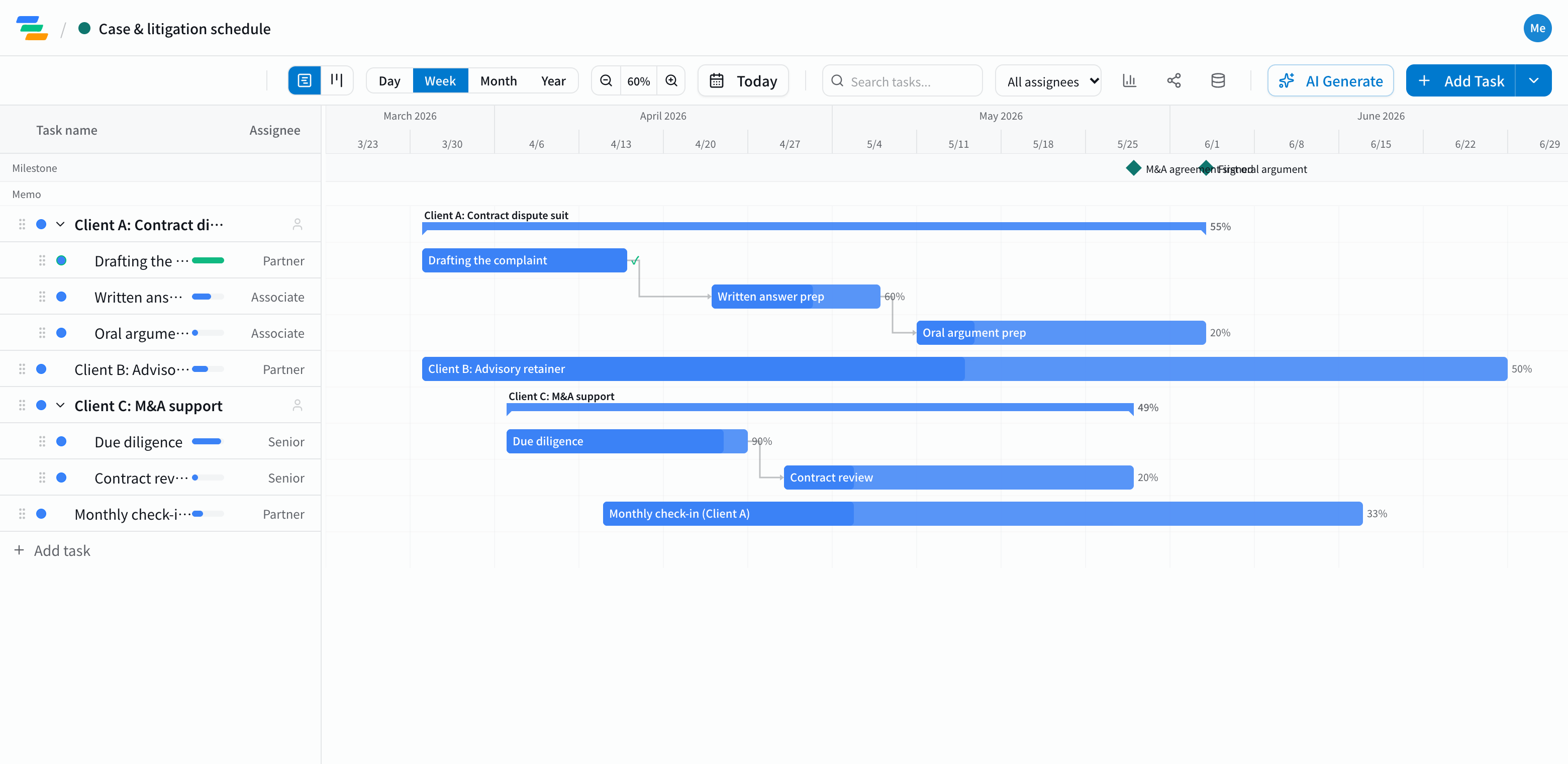
Group by matter, see the whole firm at once
Every matter is different in content and pace. Make one parent task per matter (or client) with the work inside it, and you can see everything the firm has in motion.
- Litigation and disputes: drafting filings, responding to the other side, preparing for hearings
- Advisory and retainer work: monthly consultations, regular reports and other recurring work
- Transactions and contracts: due diligence, drafting and reviewing agreements, signing
- Filings and procedures: gathering documents, preparing and submitting them
These are only examples. The work involved and how long it takes are for your firm to decide, matter by matter.
Make key dates milestones
Hearing dates, filing deadlines and signing dates don't move. Put them on the chart as milestones (the diamond markers) and you can see what has to be done before each one.
Work that must happen in order, like drafting then review, can be linked with arrows. If an earlier task runs long, everything after it moves too, so you can see right away how much room is left before the date.
Recurring work such as monthly consultations can be shown as a single task with several date ranges.
Share owners and status inside the firm
- Clear ownership: put an owner on each task to see who is handling which matter and who is overloaded
- Board view: see untouched and waiting-for-review work in columns by status
- Members only: matter details stay with your firm's members. Nothing is visible from outside unless you create a share link, and share links are view-only
Draft the work with AI
Write one line such as "Contract review matter: first draft two weeks after receiving documents, signing within a month" and the AI drafts tasks, durations and dependencies. It's only a draft of the workflow; always check the matter details and dates yourselves.
Getting started
- Sign up free and create a parent task per matter (the AI can draft one from a single line, or try the demo first, no signup)
- Make hearing and signing dates milestones and link work that must happen in order
- Invite your colleagues and share owners and progress