What goes into a crop plan
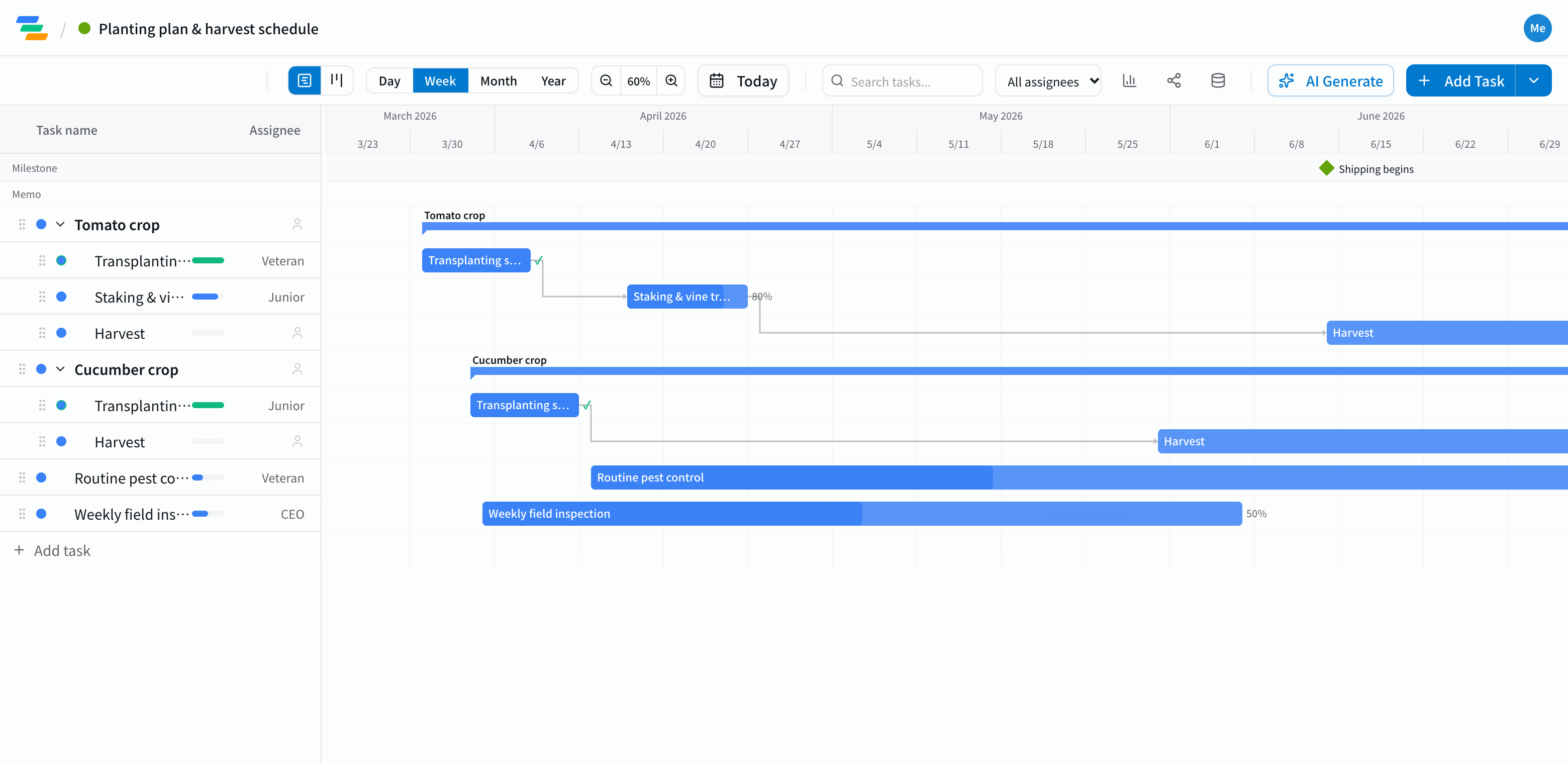
It varies a lot by crop and region, but most crops are easiest to plan in this order. Create a parent task for each crop and put its work underneath.
- Preparation: soil preparation, raising seedlings, ordering supplies
- Planting: transplanting, laying mulch
- Crop care: staking and training, top-dressing, pinching
- Harvest and shipping: the harvest window, sorting and shipping. Marking the first shipment and peak harvest as milestones shows the busy season at a glance
- Routine work: spraying and field checks that run all season
Line up the crops and the busy weeks show
With every crop on one chart, the weeks where planting or harvest overlap sit side by side. You can arrange extra help and talk to buyers early.
Work that can only start after something else (staking after planting, for example) can be linked with arrows. When weather delays planting, drag the bar later and the linked work moves with it.
Compared with paper or a spreadsheet
- Changes: move one bar and the later work follows, instead of rewriting each row
- Sharing: send a share link and family, staff or buyers see the latest plan without an account (view-only, on every plan)
- Phone: Ganty runs in the browser, so you can update progress from the field
- Export: export to Excel or PDF to print (Standard and above)
Draft the plan with AI
Write one line such as "Outdoor tomatoes and cucumbers, transplant in April, harvest through July" and the AI drafts tasks, dates and dependencies. Timing depends on your region and variety, so adjust it to your fields. You can also ask the AI to review the plan and point out weeks where too much work overlaps.
Getting started
- Sign up free and have the AI draft your crop plan from one line (or try the demo on this page first)
- Create a parent task per crop and adjust planting, care and harvest dates
- Send a share link to family or staff. When the weather changes the plan, just move the bar